
Hire Mobile App Designer for Platform-Native iOS & Android UX
Bring on a vetted mobile app designer from Devoq Design who designs for Apple Human Interface Guidelines and Material Design, not a web layout shrunk to phone width. Embedded with your product team, working in Figma with platform-specific navigation, gesture flows, push permission UX and App Store / Play screenshot sets when launch surfaces are in scope. Design delivery only; native code ships through your engineering hire or our iOS and Android developer lanes.
 Vetted mobile design shortlist
- Trial sprint on a real app flow
- 100% Figma file ownership
- NDA-backed from day one
Trusted by app teams and rated on independent review platforms





What does a dedicated mobile app designer actually do?
A dedicated mobile app designer shapes platform-native iOS and/or Android UX: navigation, gestures, thumb reach, permission and offline states, and store listing visuals. At Devoq Design that designer embeds with your app founder or mobile PM and hands off annotated Figma your iOS, Android, Flutter or React Native engineers can implement.
The craft covers tab bars, navigation stacks, bottom sheets, swipe gestures, thumb-zone placement, permission prompts, push opt-in, offline and empty states, adaptive phone and tablet layouts when in scope, and App Store / Play screenshot sets. Artefacts are phone-sized Figma flows, gesture prototypes and HIG or Material components, not web breakpoints dressed as an app. Dedicated designers sit in sprint planning, eng design reviews and device QA. This lane delivers design and handoff; Swift, Kotlin and cross-platform implementation belong on engineering hire pages.
Key takeaways
Mobile app design at Devoq Design centers platform conventions (HIG, Material, gestures, permissions and store surfaces) not generic product UI resized for a phone.
Navigation patterns, thumb reach and system gesture behavior are designed explicitly; a compressed marketing site is out of scope for this lane.
Offline, empty, error and permission-denied states are part of the deliverable, not optional add-ons after happy-path screens ship.
App Store and Play Store screenshot and listing visual design can be included when launch surfaces are in the brief; native submission engineering does not.
NDA, IP assignment and Figma ownership are settled in writing before app file access begins.

 Business Challenges
The app pains that lead teams to hire
Most app founders do not search to hire a mobile app designer on a good launch week. They search when store ratings mention confusing navigation, when engineers implement iOS tab bars on Android, when push permission prompts feel hostile, or when App Store screenshots promise a product the build does not deliver. These six patterns show up constantly in native and cross-platform apps, and each has a calmer design response than another round of “make it prettier.”

The app looks like a shrunken website
Desktop navigation patterns, tiny tap targets and no respect for safe areas. Users feel the product was ported, not designed, and reviews say so.
How we resolve it
Redesign around platform navigation models (tab bars, stacks, sheets) and thumb-zone placement so primary actions sit where one-handed users can reach them.
Gestures and back behavior feel wrong
Swipe-to-go-back conflicts with in-app carousels. Android Material patterns appear on iOS. Engineers guess at transition behavior because nobody specified it.
How we resolve it
Map critical gesture flows in an interactive prototype, document platform-specific navigation rules, and annotate transitions so eng does not invent physics in code review.
Offline and permission states were never designed
Happy paths ship; airplane mode shows a blank screen. Camera, location and push prompts appear with no rationale copy. Support tickets spike after the first real-world use.
How we resolve it
Design offline, empty, error and permission-denied states as first-class screens, with recovery paths that teach users what to do next instead of trapping them.
Store listing visuals do not match the product
Screenshots use stock templates or outdated UI. Conversion drops before anyone opens the app because the listing looks untrustworthy or generic.
How we resolve it
Produce App Store and Play Store screenshot sets aligned to the shipped UI: device frames, feature captions and sequence that reflect what users actually install.
Tablet and phone layouts fight each other
A single stretched phone layout on iPad wastes screen estate. Split views and adaptive patterns were never considered, so power users abandon the app on larger devices.
How we resolve it
Design adaptive layouts for phone and tablet when both are in scope: secondary panels, split navigation and density that respects each form factor without forking the product model.
A generalist designer ran out of platform depth
Web product UI skills helped early, but HIG/Material decisions, push UX and store craft need a specialist, and the roadmap cannot wait for on-the-job learning.
How we resolve it
Bring in a mobile app designer for platform-first ownership while keeping generalist or SaaS lanes for adjacent surfaces. Honest routing beats forcing one role to cover every peak.
Why a Mobile Platform HireWhy teams hire for platform craft before another visual pass
Apps fail in reviews and retention when platform norms break, not when colors are slightly off-brand. A mobile app designer is hired so iOS users get HIG-respecting navigation and Android users get Material patterns that feel native, not so a marketing site gets another hero illustration. Specialists elsewhere still matter; this lane is for when the ship target is App Store or Play Store.
Platform conventions users already know
Tab bars, navigation stacks, bottom sheets and system back gestures follow HIG or Material so users do not relearn basic movement every time they open your app.
Thumb reach and one-handed use
Primary actions sit in reachable zones. Destructive controls are not placed where accidental taps cause support nightmares, because mobile is used on the move, not at a desk.
Permission and push UX that converts
Camera, location, notifications and tracking prompts are designed with timing and copy that explain value, so opt-in rates improve without dark patterns that store review teams reject.
States for real device conditions
Offline, slow network, empty feeds and error recovery are designed before launch, not patched after reviews mention “does not work without Wi‑Fi.”
Store surfaces that match the build
Screenshot sets and listing visuals reflect the product users install. Listing craft is design deliverable; App Store Connect submission engineering is not.
Clear handoff to mobile engineering
Annotated Figma for iOS, Android, Flutter or React Native teams, with platform notes eng can implement without reverse-engineering intent from flattened mocks.
 Why Devoq Design
Why app teams hire mobile app designers from us
Devoq Design is a design-led studio: 357+ projects, 196+ clients, 34+ people, 6+ years shipping product interfaces, rated 5.0 on Clutch. Mobile designers sit with product and engineering on app work, including named studies such as Firewire and Buzops. Offices in Ahmedabad, Ajax (Ontario) and Sacramento (California) keep collaboration practical across regions.
Designers who think in HIG and Material
Shortlists favor people who can defend navigation and gesture decisions in a working session with your mobile PM, not only present phone mocks that ignore platform rules.
Trial sprint on your real app flow
Evaluate craft against a genuine onboarding, core loop or permission path from your backlog before you commit. You judge platform judgment inside your constraints, not against a generic Dribbble file.
Design pairs with mobile engineering lanes
When you need iOS, Android, Flutter or React Native engineers beside design, delivery stays inside one studio rhythm so platform intent does not die between two vendors.
Capacity that flexes with app milestones
Start with one mobile designer; surge before a store launch for listing visuals; add research depth when usability evidence must lead a navigation rethink.
Overlap with your product day
Meaningful timezone overlap and written updates your stakeholders can audit: reviews when your PM and eng leads can attend, not only when a distant vendor prefers.
Contracts that protect app IP
Mutual NDA before deep file access, IP assignment, and clear ownership of Figma artefacts from the first working session, with transfer expectations written up front.
Store reviews mentioning navigation or “feels like a website”?
Send a short brief: platform targets, app stage, and who owns product decisions. We will return matched mobile app designer profiles and a recommendation on dedicated versus scoped work.
 Services Included
What hiring a mobile app designer covers
Whether you engage one designer or a small mobile design pod, the menu below is available from day one. Scope still matters: a single onboarding path and a full iOS-plus-Android launch with store assets are different calendars: but you will not discover mid-sprint that gesture flows were “extra.”

Platform-native navigation and IA
Tab bars, stacks, drawers and modal patterns chosen for iOS HIG and/or Material, not web navigation resized to fit a phone canvas.

Gesture and interaction flow design
Swipe, drag, pull-to-refresh and system back behavior mapped in interactive prototypes stakeholders can feel on a device preview.

Thumb-zone and one-handed layout craft
Primary actions placed for reach on phone-sized screens, with destructive controls guarded against accidental taps during real-world use.

Permission and push opt-in UX
Camera, location, notifications and tracking prompts designed with timing, rationale copy and fallback paths when users decline.

Offline, empty and error state design
Screens for no connectivity, slow loads, empty feeds and failed actions, with recovery paths that keep users in the product instead of force-quitting.

Adaptive phone and tablet layouts
Split views, secondary panels and density adjustments when both phone and tablet are in scope, without treating iPad as a stretched iPhone frame.

App Store and Play Store screenshot design
Device-framed screenshot sets and listing visuals aligned to the UI you ship, when store surfaces are part of the engagement scope.

Cross-platform design for Flutter and React Native
Platform-aware Figma that respects iOS and Android conventions while giving shared-code teams clear per-platform notes where behavior diverges.

Annotated handoff for mobile engineers
Specs for states, spacing and platform behavior so iOS, Android, Flutter or React Native teams implement intent, not guess from static PNGs.
Need a different center of gravity? Generalist product UI, live SaaS metrics work, Figma library recovery and dense admin consoles each have their own hire lane: ask before you stretch platform mobile craft into the wrong brief. UI/UX generalist hire, SaaS product design, Dashboard / admin density, Figma systems & hygiene, iOS engineering and Android engineering developers.
Platform SurfacesWhere a mobile app designer focuses inside your product
This lane maps to device-native app surfaces, not marketing websites, not SaaS activation funnels as the hero brief, and not org-wide Figma recovery. Buyers should self-select if these platform touchpoints match their ship target.
iPhone core app experience
Primary phone flows designed to HIG conventions: navigation stacks, tab bars, Dynamic Island-aware layouts when relevant, and safe-area discipline so nothing hides under the home indicator.
Android Material experience
Navigation drawers, bottom bars, floating action buttons and Material motion patterns where Android is a first-class ship target, not iOS chrome pasted onto Google Play.
Tablet and adaptive layouts
Split navigation, secondary columns and density that uses larger screens, when tablet is in scope, not as an afterthought stretch of the phone file.
System permission and settings surfaces
In-app prompts and settings paths for notifications, location, camera and storage: designed before users hit OS dialogs with no context.
Offline and connectivity-edge journeys
Cached content views, sync indicators, retry affordances and honest empty states for the conditions apps face outside demo Wi‑Fi.
App Store and Play Store listing visuals
Screenshot sequences, feature captions and store preview frames that match the build: design deliverable for launch, distinct from engineering submission work.
Design StackTools mobile app designers work with day to day
We keep platform references, UI and handoff inside systems your mobile team already recognises. Novelty toolchains that fragment decision history rarely help an app mid-build.
Figma is the primary design and handoff channel, with device frames, interactive prototyping for gestures, and developer specs sized for phone and tablet canvases. Apple Human Interface Guidelines and Material Design references inform navigation and component choices; we do not claim to ship Swift or Kotlin from this lane. Design QA happens against staging builds on real device previews your team already uses.
Ticket systems, chat and review rituals follow yours. Consistency inside your operating rhythm matters more than importing a studio-only toolchain your mobile PM will not open. If tooling is undefined, we propose a light default and document it for the next person.
- Figma
- Device previews
- Gesture prototypes
- Design QA
- Apple HIG
- Material Design
- Safe areas & grids
- Platform components
- Navigation models
- Permission flows
- Offline states
- Store screenshots
- Slack / Teams
- Jira / Linear
- Notion / Docs
- GitHub issues
- Loom walkthroughs
How We WorkOur mobile app design process
Short cycles with planning, mid-cycle reviews on device previews and demos stakeholders can tap through. Predictability lets mobile engineering reserve build capacity against known design slices.
- 01
App and platform discovery
Goals, ship targets (iOS, Android or both), constraints and success signals documented. We audit live app flows or greenfield requirements before proposing what to design first.
- 02
Navigation and gesture mapping
Critical paths mapped with platform-appropriate navigation; gesture behavior locked in low-to-mid fidelity before visual polish makes every edit costly.
- 03
High-fidelity UI and device prototype
Platform-native UI continuing your brand language, plus an interactive prototype for PM and eng review on phone-sized canvases.
- 04
State coverage and store assets
Offline, permission, empty and error states specified; App Store / Play screenshot sets produced when listing surfaces are in scope.
- 05
Handoff, design QA and iteration
Annotated behavior for mobile engineers; design QA against device builds while the sprint is open; feedback feeds the next app slice.
Hiring ProcessHow to hire a mobile app designer, step by step
Most teams move from first conversation to a designer contributing on a real app flow after a short discovery and trial cycle. Here is what happens at each stage.
- 01
Discovery
Understand the app and platform pain
We discuss ship targets, store stage, navigation or permission friction, existing design language, and whether mobile platform design (not a generalist or SaaS specialist) is the right lane.
- 02
Shortlisting
Review matched designers
Receive a curated shortlist selected for mobile platform judgment, collaboration with PMs, and communication fit.
- 03
Evaluation
Interview and trial sprint
Interview candidates, then validate on a real onboarding or core-loop slice, not only a portfolio walkthrough of unrelated apps.
- 04
Onboarding
Embed with product and mobile eng
Finalize agreements, share tool access, align review cadence, and kick off with a written definition of the app flows in scope.
- 05
Delivery & Growth
Design, hand off and expand
Deliver app design increments, run design QA on device builds, expand when ready, and adjust capacity when launch milestones approach.
Project TimelineHow mobile app design typically sequences
Durations depend on flow count, platform scope and how fast stakeholders decide. We scope after discovery and revise at each review boundary rather than defending a sales-call guess.
Focused onboarding or core loop
One critical app path redesigned end to end with prototype, state coverage and handoff for mobile engineers.
Platform navigation overhaul
Tab bar, stack or drawer rethink with gesture documentation and adaptive layouts when tablet is in scope.
Launch package with store visuals
Core app UI plus App Store / Play screenshot sets aligned to the build, when listing craft is part of the brief.
Ongoing embedded mobile design
A dedicated designer in your sprints, absorbing backlog items as features land and keeping platform UX coherent over time.
We would rather revise a timeline early than promise a ship date that ignores approval lag, engineering capacity or unknown legacy app flows.
Engagement ModelsFlexible ways to hire mobile app designers
Three structures, one standard of platform-native ownership. If you are unsure which fits, describe the app and ship targets on a discovery call.
Focused
Dedicated Mobile App Designer
A single designer working exclusively on your app UX, embedded in your tools, reviews and roadmap.
- Full-time allocation to one client
- Direct access through your Slack and issue tracker
- Trial sprint before commitment
- Replacement cover within the first 30 days
Best for
App founders and mobile PMs who need one embedded designer beside an existing eng team.
Discuss this modelMost requested
Extended mobile design pod
A multi-role unit combining mobile app design with optional research or front-end support under one point of accountability.
- Mobile design plus optional research or eng partners
- Dedicated delivery contact and written reporting
- Composition reviewed against the app roadmap
- Scales up before store launch, down for steady state
Best for
Teams shipping iOS and/or Android without an in-house mobile design org.
Discuss this modelDefined
Defined-scope app redesign
Milestone-based delivery against a documented flow set: navigation overhaul, launch UI or store screenshot package with handoff.
- Written scope, flows and acceptance criteria
- Milestone-based delivery and sign-off
- Prototype and annotated Figma handoff included
- Post-delivery support window for clarification
Best for
Organizations with a fixed app deliverable and a firm internal approval process.
Discuss this model
Compare Your OptionsDedicated mobile app designer vs freelancer vs in-house hire
How the three common hiring routes compare across the factors that decide whether platform UX keeps improving after the first store release.
Unsure if this is mobile platform, UI/UX generalist, or SaaS product?
Bring the awkward version: App Store launch pain, a companion app for live SaaS, or “we need someone to own everything.” You will talk to a design lead who will say plainly which Devoq hire lane fits before you force the wrong brief.
Quality, Security & TransparencyHow we protect delivery, app files and confidentiality
Outsourced mobile design fails on process far more often than on taste. These four commitments are written into every engagement.

Quality standards
Design reviews check navigation completeness, state coverage, platform convention alignment and accessibility basics, not only visual polish on happy-path screens.
Design QA against device builds catches spacing, gesture and state drift while the sprint is open, so “close enough” does not become the released app.

Security, NDA and IP protection
Mutual NDAs are signed before detailed app discussions begin. Designers work with restricted file and repository permissions limited to named individuals.
Intellectual property in designs, prototypes and documentation is assigned to you contractually. Figma ownership and transfer expectations are written down up front.

Communication and reporting
A shared channel your whole product team can access, written updates on working days, mid-cycle design reviews and a demo every cycle covering progress, open decisions and blockers.
Your issue tracker (Jira, Linear or Asana) is the single source of truth for what design owns next.

Risk mitigation
Platform decisions that affect engineering effort are recorded in writing so context survives personnel changes. Critical navigation knowledge stays visible in the file.
Scope changes are estimated and approved before work expands, and timelines are revised at review boundaries when reality diverges from the plan.
Industries We ServeMobile apps we design across sectors
Domain familiarity shortens ramp-up. These are sectors where our designers already understand the workflows, trust barriers and on-the-go usage patterns that shape mobile UX decisions.
Consumer and lifestyle apps
Daily-use products where thumb reach, gesture clarity and store listing trust determine whether users install and keep the app.

Fintech and financial mobile
Onboarding, verification and money-movement flows that must feel secure and understandable on a small screen under real-world distraction.

Healthcare and wellness apps
Care, scheduling and patient-facing mobile loops where clarity, permissions and offline resilience matter as much as visual calm.

On-demand and marketplace apps
Location-aware, notification-heavy products (including studio experience adjacent to Firewire-style mobility work) where platform states cannot be improvised at launch.
B2B and ops companion apps
Field and operator mobile surfaces paired with web products, without turning every engagement into a dense admin-dashboard specialist brief.

Education and learning apps
Lesson, progress and account journeys optimized for phone and tablet sessions that interrupt and resume throughout the day.
Global DeliveryHire mobile app designers who overlap your working day
We support app teams across regions from studios in Ahmedabad, Ajax (Ontario) and Sacramento (California). You get overlapping hours, communication in your business language, and contracts written to protect your IP.
North America
United States and Canada
Sacramento and Ajax presence with overlap for US and Canadian app teams, standups that fit your morning or afternoon, and contracting suited to North American buyers.
Europe
United Kingdom and EU
Meaningful working-day overlap for UK and EU teams, GDPR-aware handling of product data shared in design reviews, and written updates your stakeholders can audit.
Middle East
Middle East
Coordination for GCC app teams with predictable updates, clear ownership of files, and designers comfortable working across distributed stakeholder groups.
Asia Pacific
Asia Pacific
Ahmedabad delivery center with morning overlap for many APAC teams, plus continuity practices so platform decisions remain documented across time zones.
Every engagement operates under clear commercial terms, so adding mobile design capacity later does not mean restarting trust, NDA or file-ownership negotiations from scratch.
Case Study HighlightsDiscover Our Case Studies
Real app and product work from the Devoq Design portfolio, including named studies such as Firewire, Buzops, Cadre Crew, Wealth Bridge and Angel Care.
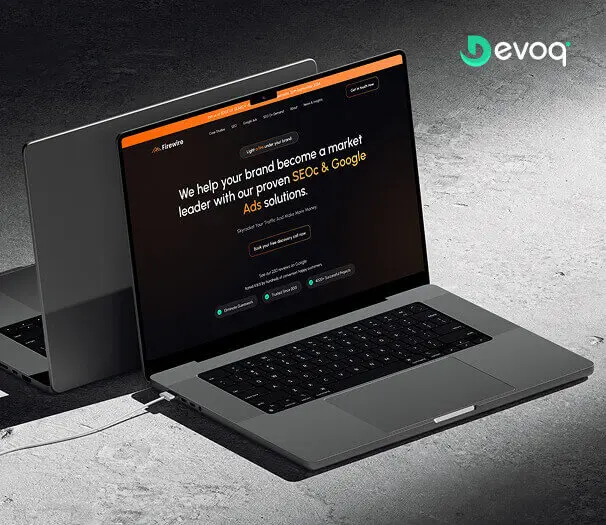
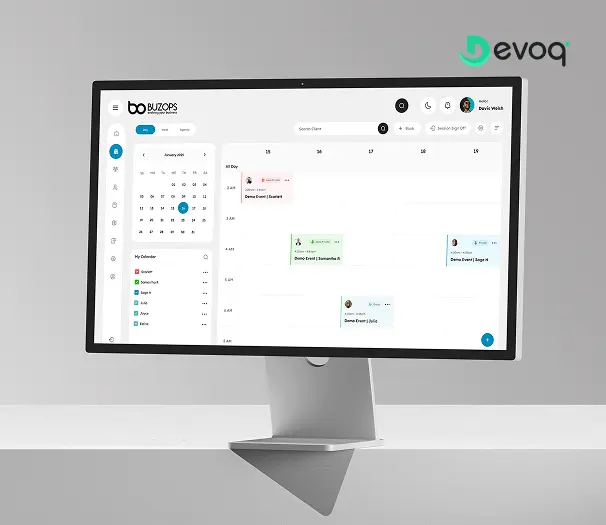
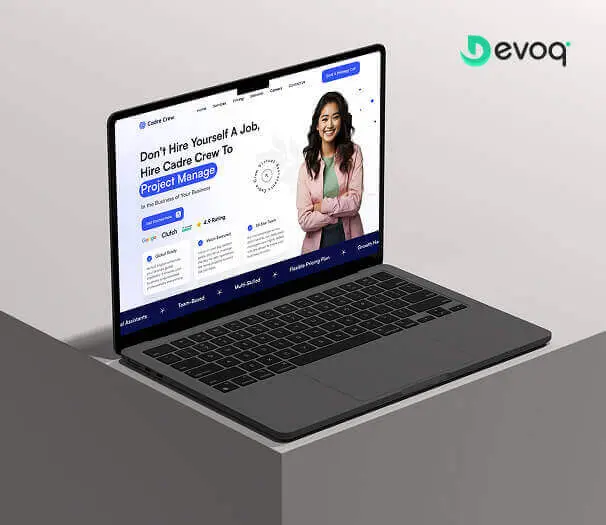
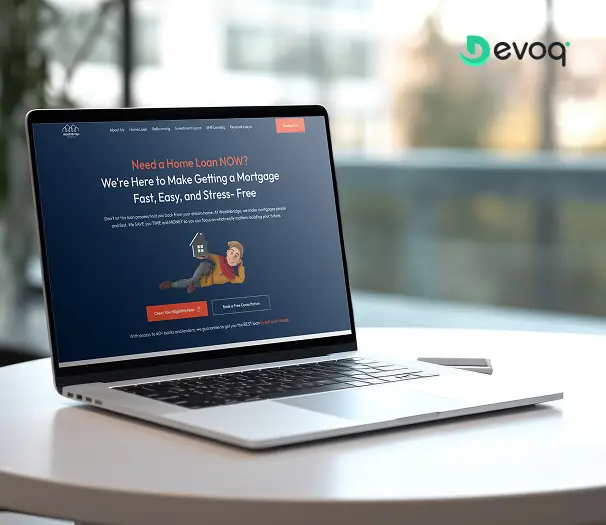
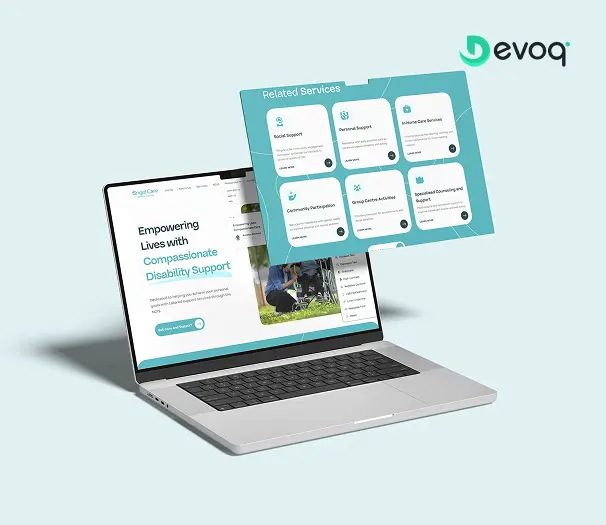
Want the story behind an app case study?
We will walk you through platform decisions, navigation changes and how handoff worked with engineering, under NDA, with people close to the work. Firewire, Cadre Crew and related app work are natural conversation starters.
Your Dedicated TeamRoles you can hire around a mobile app designer
Start with one mobile designer and add partners as scope grows. Every role below can work under the same engagement terms when you need a pod rather than a single seat.
Mobile App Designer
Owns platform-native navigation, gestures, states and store listing visuals for the app in scope.

UI/UX Designer
Generalist interface ownership when the brief widens beyond platform-first mobile shipping.

SaaS Product Designer
Live SaaS activation and feature UX when the companion app is secondary to in-product metrics.

Dashboard Designer
Dense admin and analytics consoles: distinct from phone mini-dashboards that still follow mobile platform rules.

UX Researcher
Usability studies and session evidence when navigation or permission UX must be validated before redesign.

iOS Developer
Native Swift implementation when designs are ready to become App Store-shipped products.
Android Developer
Kotlin implementation for Material-native builds when Play Store shipping is the engineering target.

Product / delivery manager
Backlog grooming, review cadence and one written status your stakeholders can rely on.
What You ReceiveDeliverables at the end of every engagement
Handover is a defined stage of the work, not a negotiation at the end of it. Everything listed here transfers to you regardless of how the engagement concludes.

Working Figma files you own
Editable source for app flows, UI and prototypes: transferred to your organization, not locked behind a vendor account.

Navigation and gesture flow maps
Diagrams and notes that explain platform navigation choices, so future teammates inherit structure, not only polished screens.
State coverage documentation
Offline, empty, error and permission-denied screens specified for the flows in scope, ready for mobile eng to implement.
Interactive device prototype
A reviewable prototype of critical app paths that matches what mobile engineering is expected to build.
App Store / Play screenshot sets
Device-framed listing visuals aligned to the UI in scope, when store surfaces are part of the engagement.
Annotated handoff notes
Platform behavior and states documented so developers are not reverse-engineering intent from static screenshots.
Expert AdviceBest practices when you hire a mobile app designer
Five things we would tell an app founder or mobile PM hiring for platform UX, whether or not they hired us.
Trial on a real app path, not a generic phone mock
Give candidates a genuine onboarding, permission or core-loop problem from your backlog. Evaluate how they use HIG/Material conventions and specify states, not only how polished unrelated Dribbble shots look.
Separate platform design from native engineering
This hire delivers Figma and handoff. Swift, Kotlin and store submission engineering belong on iOS and Android developer lanes: do not expect code delivery from a design seat.
Budget offline and permission states upfront
If the brief only lists happy-path screens, you will pay twice when reviews mention real-world failure. State coverage is part of platform craft, not a change-order surprise.
Invite mobile eng into design reviews early
Safe areas, gesture conflicts and platform-specific behavior belong in week one. The designer who welcomes engineering constraints will out-ship the one who optimises only for static hero frames.
Weight platform communication as heavily as craft
In a distributed app team, the designer who documents navigation rules and flags open platform decisions early will beat a stronger stylist who disappears between reviews.
Things To KnowCommon mistakes to avoid
Five failure patterns we see when mobile UX work arrives mid-flight, or after a store launch that made “hire mobile app designer” feel urgent for the wrong reasons.
Hiring a UI/UX generalist when platform craft owns the brief
If HIG, Material, gestures and store listing surfaces are the problem, do not brief a generalist interface owner. Use the UI/UX lane when the whole product layer needs one owner; use this lane when App Store or Play shipping is the center.
Expecting Swift or Kotlin delivery from a designer
Design and engineering are adjacent, not identical. Cross-link to iOS, Android, Flutter or React Native hires for implementation: mislabeling roles creates broken expectations on both sides.
Treating a companion SaaS app like a marketing site
Live SaaS metrics and activation inside the web product belong on the SaaS product designer lane. Mobile platform conventions for the companion app belong here: honest routing beats one vague “product designer” post.
Skipping store listing design until submission week
Screenshots and preview frames need time to align with the UI you ship. Listing craft is design work; leaving it to engineering or stock templates hurts conversion before anyone opens the app.
Confusing phone mini-dashboards with admin density
A summary screen on phone is still mobile platform UX. Dense ops tables, filters and RBAC consoles for hours-long admin work belong on the dashboard designer lane, not stretched into this brief.
Support & MaintenanceWhat happens after the first app slice ships
Shipping an app flow is when real device usage starts producing information. Ongoing mobile design support is structured around acting on that information.

Design QA on continuing releases
As engineering ships, we check new builds against the source of truth so small drifts do not become a second unofficial app UI.
Pattern upkeep for new features
When features add net-new navigation or state patterns, we fold survivors into the working set and retire one-offs that would otherwise fork the app look.
Store listing updates after UI changes
Screenshot sets refreshed when major UI revisions ship, so the listing continues to match what users install.

Flexible embedded capacity
Keep a designer part-time for steady app change, or surge before a store launch, without restarting vendor onboarding from zero.
Client FeedbackWhat clients say after working with us


“The client was pleased with Devoq Design’s thorough understanding of each design stage. They seamlessly integrated into the internal team, providing helpful critiques and insights. They regularly communicated via phone, email, and Slack. Devoq Design’s collaborative approach stood out.”
“Devoq Design has completed the design phase, and the client is very satisfied with the new layout. The service provider is responsive and incorporates the client's feedback. The client has been impressed with Devoq Design's ability to create both strategic and beautiful designs.”
“The project is still ongoing, but Devoq Design has already delivered functional components of the client's product. The team establishes a collaborative workflow through clear and constant communication, they always provide updates on the project's progress. They're also skilled at what they do.”
Frequently Asked QuestionsCommon questions about hiring mobile app designers
What does a dedicated mobile app designer at Devoq Design do?
A dedicated mobile app designer owns platform-native UX for iOS and/or Android: navigation patterns aligned to HIG or Material, gesture flows, thumb-zone layout, permission and push opt-in UX, offline and empty states, adaptive phone and tablet layouts when in scope, and App Store / Play screenshot sets when listing surfaces are part of the brief. At Devoq Design that person embeds with your app founder or mobile PM and delivers annotated Figma for your engineering team: design and handoff, not Swift or Kotlin implementation.
How is this different from hiring a UI/UX designer?
UI/UX is the generalist interface owner across web and light mobile surfaces. This lane assumes App Store or Play shipping is the center: platform conventions, gestures, device states and store listing craft. UI/UX may include some mobile screens; this page is intentionally framed around platform-first mobile UX, not “hire a UI/UX designer for apps.”
Do you write Swift, Kotlin or ship apps to the stores?
No. This hire delivers design and handoff in Figma. Native implementation belongs on our iOS developer, Android developer, Flutter or React Native hire pages. We cross-link those lanes for pods; we do not claim engineering delivery on the mobile app designer page.
Will designs follow iOS HIG and Material Design?
Yes, that is the center of this lane. Navigation models, component choices, gestures and system behavior are designed against Apple Human Interface Guidelines and/or Material Design for the platforms you ship. Web layouts compressed into phone frames are explicitly out of scope.
Do you design offline, permission and push states?
Yes. Offline, empty, error, slow-network and permission-denied screens are part of platform craft, not optional add-ons after happy-path mocks. Push notification opt-in timing and rationale copy are designed when notifications are in scope.
Can you produce App Store and Play Store screenshots?
Yes, when listing visuals are part of the engagement scope. Screenshot sets and preview frames are aligned to the UI you ship. App Store Connect or Play Console submission engineering is a separate engineering concern, not included in this design lane.
When should we hire a SaaS product designer instead?
When the bottleneck is activation, retention or feature adoption inside a live web SaaS, not platform mobile conventions for an app. Companion apps for SaaS products can still use this lane when HIG/Material and store craft dominate; the SaaS product designer lane owns metrics-led in-product journeys on the subscription product itself.
How quickly can a mobile app designer join?
Join speed depends on seniority and your interview availability, not a fixed day-count on this page. After discovery we shortlist matched designers, run your interviews and validate with a trial sprint on a real app flow before you commit: ask for current capacity on the discovery call.
Who owns the Figma files and intellectual property?
You do. At Devoq Design, designs, prototypes and documentation are assigned to you contractually, with working Figma access transferred to your organization rather than locked in a vendor-only account. Ownership and transfer expectations are written at kickoff, not negotiated in an exit week.
What happens if the designer is not the right fit?
Dedicated engagements include a trial sprint before commitment and replacement cover within the first 30 days, with managed knowledge transfer so you do not restart from an empty file and a lost navigation decision history.
Can you design for both iOS and Android in one engagement?
Yes. We design platform-appropriate UI for each OS (respecting HIG on iOS and Material on Android) whether your engineers ship natively or through Flutter or React Native. Shared-code teams receive per-platform notes where behavior diverges.
Do you provide support after the first handoff?
Yes. Ongoing work can include design QA on continuing device builds, pattern upkeep for new features, store listing refreshes after UI changes, and flexible embedded capacity when your app roadmap keeps evolving after the first flows ship.
Related ServicesExplore other ways we can help
Mobile app designers sit beside generalist, SaaS, dashboard, Figma and engineering hires. These adjacent paths are the ones teams combine most often: each with a distinct center.
Hire UI/UX Designer
When you need one interface owner across research through handoff, not platform-first App Store / Play shipping as the primary brief.
ExploreHire SaaS Product Designer
When a live SaaS needs metrics-aware activation and feature UX, not HIG/Material platform craft as the hero deliverable.
ExploreHire Dashboard Designer
When dense admin tables, filters and RBAC views are the painful surface, not phone navigation and store listings.
Explore
Hire Figma Designer
When libraries, variables and Dev Mode hygiene (not journey strategy) are the bottleneck.
ExploreHire iOS Developers
Native Swift engineering when platform designs are ready to become App Store-shipped products.
ExploreHire Android Developers
Kotlin engineering when Material-native designs are ready for Play Store implementation.
Explore
Ready to hire a mobile app designer for your team?
Book a free consultation. We will scope the app surfaces, recommend an engagement model and share matched designer profiles. No obligation and no pressure script.