

Hire Elementor Developers Who Build Fast Sites Your Team Can Edit
Dedicated WordPress and Elementor Pro developers for custom widgets, Theme Builder templates, WooCommerce stores and Core Web Vitals work. Built on clean structure, not a stack of addon plugins, so the site stays quick and your marketers stay independent.
 Trial task before you commit
- White-label for agencies
- Your accounts hosting and licences
Trusted by marketing teams, agencies and store owners worldwide






What does an Elementor developer actually do?
An Elementor developer builds and maintains WordPress websites using the Elementor page builder. The work covers Theme Builder templates for headers, footers, archives and single posts, a global style system for colors and typography, custom widgets written in PHP and JavaScript, dynamic content wired through Advanced Custom Fields or custom post types, WooCommerce product and checkout templates, form and popup logic, and the performance work that decides whether the finished site passes Core Web Vitals.
The distinction that matters commercially is between someone who assembles pages and someone who engineers them. Anyone can drag widgets onto a canvas. A developer decides the container structure, keeps the plugin count low, replaces bloated addons with lightweight custom widgets, and leaves behind a site that a marketing coordinator can safely edit two years later without calling anyone.
Key takeaways
Elementor is not inherently slow, most poor scores come from nested legacy sections, overlapping addon plugins and unoptimised media.
Elementor Pro unlocks Theme Builder, Loop Builder, popups, forms and WooCommerce templates, which is what makes a site genuinely maintainable.
Custom widgets in PHP usually replace two or three addon plugins and cut page weight measurably.
A well-built Elementor site lets non-technical marketers publish pages without a developer in the loop.
Hosting, domain and licences should sit in your own accounts from day one, never the agency's.

 Business Challenges
The problems clients bring us before they hire
Almost nobody starts by searching for an Elementor developer. They start with a symptom, a site that loads slowly, a page that broke on mobile, or a template nobody dares touch. These are the six we get called in for most often.

The site is slow and failing Core Web Vitals
Google flags poor LCP and CLS, paid traffic converts badly, and every fix suggestion online contradicts the last one.
How we resolve it
Audit the real bottleneck, usually nested legacy sections, unoptimised hero images, render-blocking addon scripts or missing caching, then restructure and re-measure with before-and-after field data.
Twenty plugins doing five jobs
Multiple Elementor addon packs installed for one widget each, overlapping in function and conflicting on update.
How we resolve it
Map which widgets are genuinely used, rebuild the handful that matter as lightweight custom widgets, then retire the addon packs on staging before anything touches production.
Pages break on mobile
Desktop looks correct, tablet is passable, mobile has overflowing text, misaligned columns and buttons off the edge.
How we resolve it
Rebuild layouts on flexbox containers with sensible breakpoint logic instead of absolute positioning and per-device padding overrides, then test on real devices rather than the editor preview.
Nobody dares edit anything
Styling was applied inline on individual widgets, so one change in a template cascades into visible damage elsewhere.
How we resolve it
Introduce global colors, global fonts and reusable templates so edits happen in one place, and record a walkthrough showing your team exactly which areas are safe to change.
A DIY or freelancer build stalled
Half a site exists, the original builder is unreachable, and the launch date has not moved to accommodate any of it.
How we resolve it
Take a full staging copy, document what actually exists, keep whatever is salvageable and rebuild the rest to a consistent structure so the site ships rather than restarting from zero.
WooCommerce is fighting the design
Product and checkout pages look nothing like the rest of the site, and every plugin that promises to fix it adds more weight.
How we resolve it
Build product, archive, cart and checkout templates properly in Theme Builder with WooCommerce hooks, so the store matches the brand without a stack of styling plugins holding it together.
Why ElementorWhy businesses choose Elementor and WordPress
Elementor keeps winning for one commercial reason: it puts publishing back in the hands of the people who own the marketing calendar.
Your marketing team stops waiting
New landing page for Thursday's campaign? A trained marketer builds it from an existing template in an afternoon. No ticket, no sprint, no developer bottleneck between an idea and a live URL.
Design freedom without a rebuild
Theme Builder controls headers, footers, archives, single posts and WooCommerce templates from one place, so a brand refresh is a styling exercise rather than a full redevelopment project.
The largest plugin ecosystem anywhere
WordPress underneath means CRM connectors, booking systems, membership tools, multilingual support and analytics integrations already exist, tested by millions of sites before yours.
Commerce built in, not bolted on
WooCommerce and Elementor Pro together give you full control of product, archive, cart and checkout layouts, with no per-transaction platform fee on top of your payment processor.
SEO control at the field level
Schema, meta, canonicals, redirects, sitemaps and heading structure are all directly editable through Rank Math or Yoast, not abstracted away behind a closed platform's defaults.
You own the whole thing
Self-hosted files, an exportable database and no vendor able to change pricing or terms under you. Move hosts, hire anyone, or take the site in-house whenever you choose.
 Why Devoq Design
Why businesses hire Elementor developers from us
We are a design studio that happens to build in Elementor, not a builder shop that also does design. That order matters, it is why our sites look bespoke rather than assembled from a template kit.
Developers, not template assemblers
Our team writes PHP, understands WordPress hooks and can build a custom widget when the right one does not exist. That is what separates a site that scales from one held together by addon plugins.
Performance is a build standard
Core Web Vitals targets are agreed before the first page is built, not chased afterwards. Flexbox containers, lean plugin stacks and correctly sized media are defaults rather than optimizations.
Design and build in one team
UI designers and Elementor developers work from the same board, so what was approved in Figma is what ships, spacing, states, hover behavior and all.
Onboarding measured in days
Shortlist promptly, a short technical conversation, then a real trial task on a staging copy. No notice periods and no recruitment fee to recover.
White-label for agencies
We work under your brand, inside your tools, with your name on every client-facing deliverable. Many of our long-running relationships are with agencies whose clients have never heard of us.
Everything stays in your accounts
Hosting, domain, Elementor license and plugin keys are registered to you from day one. Nothing about leaving us is difficult, which is precisely why clients tend not to.
Want a free look at your current site?
Send us the URL and we will come back with a short written audit, page speed, template structure, plugin bloat and the three fixes worth doing first.
 Services Included
What our Elementor development services cover
Whether you hire one developer or a full build team, the same breadth of capability is available from day one. Nothing here is quoted as an add-on later.

Custom Elementor website design and build
Original design in Figma, then built in Elementor with a proper global style system, reusable templates and clean container structure from the first page onward.

Theme Builder template systems
Headers, footers, archives, single posts, 404 and search templates built once and applied by display conditions, so the site stays consistent as it grows.

Custom widget development
Bespoke Elementor widgets in PHP with full editor controls, so your team configures them visually. Typically replaces several addon plugins and reduces page weight.

WooCommerce store development
Product, archive, cart and checkout templates, variation logic, filtering, upsell placements and payment gateway integration built into the brand rather than styled over it.

Speed and Core Web Vitals optimization
Structural cleanup, image and font strategy, script deferral, caching and CDN configuration, with measured field data before and after rather than a lab score screenshot.

Migration and rebuilds
Moves from Wix, Squarespace, Shopify, WPBakery, Divi or a legacy custom theme, with URL mapping, redirect plans and content parity checked page by page.

Dynamic content and integrations
Custom post types, ACF field groups, Loop Builder listings, filtered archives, and connections to HubSpot, Salesforce, Mailchimp, Zapier or your own API.

Accessibility and QA
Contrast, focus order, keyboard navigation, alt text discipline and heading hierarchy checked against WCAG 2.1 AA, plus cross-browser and real-device testing before launch.

Security hardening and maintenance
Update testing on staging, login protection, file permission review, malware scanning, backup verification and uptime monitoring under a continuing engagement.
Considering a different platform? Our teams also build in Webflow, Framer and Unbounce when those fit the brief better. Hire Webflow, Framer and Unbounce developers.
Elementor CapabilitiesThe Elementor features we build with properly
Most sites use a fraction of what Elementor Pro offers, then install plugins to recreate features they already own. These are the capabilities that do the heavy lifting when used correctly.
Flexbox and grid containers
The modern layout foundation. Fewer DOM nodes than legacy sections and columns, cleaner responsive behavior, and a measurable effect on load time across a whole site.
Theme Builder and display conditions
One header template applied everywhere, with variants triggered by page type, category or user state, instead of a manually duplicated header on every page.
Loop Builder and dynamic tags
Design a single card once and let it populate from posts, products, team members or case studies. New content appears in the right format without anyone touching layout.
Popup Builder with real logic
Exit intent, scroll depth, referral source and page-specific targeting, wired to your CRM and configured so popups never fire against Google's interstitial guidance.
Forms with conditional logic
Multi-step forms, conditional fields, file uploads, spam protection and direct submission into HubSpot, Mailchimp, Zapier or a webhook, without a separate forms plugin.
Global styles and custom CSS
Site-wide colors, typography scales and button styles defined once, with targeted custom CSS where the interface stops short. One change updates every page at once.
Technology StackThe stack our Elementor developers work in
Our default build is deliberately boring: the Hello Elementor theme, a child theme for custom code, flexbox containers throughout, and as few plugins as the brief genuinely requires.
Every plugin has to justify its place. Before anything is installed we ask whether Elementor Pro already does the job, whether a small custom widget would be lighter, and whether the plugin is actively maintained with a clean update history. That single discipline prevents most of the performance problems we get hired to fix on other people's builds.
Work happens on staging first, always. Changes are tested against a copy of production, reviewed with you, then deployed, with a verified backup taken immediately before anything goes live.
 WordPress
 Elementor Pro
 Hello Elementor
 Child themes
 PHP
PHP JavaScript
 SCSS
SCSS
 WooCommerce
 Advanced Custom Fields
 Custom post types
 Loop Builder
 WPML
WPML Polylang
 Rank Math
 Yoast SEO
 WP Rocket
 Perfmatters
 Cloudflare
 ShortPixel
 WP-CLI
 Git
Git WP Staging
 Wordfence
 UptimeRobot
How We WorkOur Elementor development process
Weekly build reviews on a live staging link, so you see progress on real pages rather than in a status document. The process is deliberately unremarkable, predictability is what lets your team plan around ours.
- 01
Discovery and site audit
Goals, page inventory, content sources and integrations documented. For existing sites, a performance and structure audit runs before anything else.
- 02
Design and style system
Wireframes and visual design in Figma, with a defined type scale, color palette and component set that maps directly onto Elementor global styles.
- 03
Template-first build
Theme Builder templates and global styles built before individual pages, so every page inherits structure instead of repeating it.
- 04
Content, QA and optimization
Content population, responsive testing on real devices, accessibility checks, redirect mapping and Core Web Vitals tuning against agreed targets.
- 05
Launch and handover
DNS cutover with a verified rollback, post-launch monitoring, a recorded editor walkthrough and a written maintenance plan.
Hiring ProcessHow to hire an Elementor developer, step by step
Most clients go from first conversation to first build task after a short discovery and trial cycle. Here is what happens at each stage and what you need to have ready.
- 01
Discovery
Share the requirement
A short call covering your current site, theme and plugin stack, performance targets, content sources and who will be editing pages after launch.
- 02
Shortlisting
Review matched profiles
You receive shortlisted developer profiles with live site examples you can inspect yourself, plus confirmed availability and time-zone overlap.
- 03
Evaluation
Interview and assess
Run your own technical conversation, or set a small build task on a staging copy. You set the bar and we do not filter your feedback.
- 04
Trial
Validate with a trial task
Your chosen developer builds a real page or widget, so you judge structure, responsiveness, page weight and communication on work that matters.
- 05
Delivery & Growth
Onboard and scale
NDA and services agreement signed, staging and repository access granted, and team composition reviewed monthly as the roadmap develops.
Project TimelineHow long an Elementor website takes
Timelines assume one dedicated developer with design and QA support. Content readiness moves these dates far more than anything technical does.
Marketing site
Five to eight pages, design included, forms and analytics configured. Scoped after discovery.
Content-heavy site
Custom post types, dynamic archives and multiple Theme Builder templates. Scoped after discovery.
WooCommerce store
Custom product templates, filtering, checkout work and payment integration. Scoped after discovery.
Performance rescue
Audit, structural cleanup and Core Web Vitals work on an existing site. Scoped after discovery.
Every estimate is scoped after discovery and revisited at each milestone. We would rather revise a timeline early than defend an inaccurate one.
Engagement ModelsFlexible ways to hire Elementor developers
Three structures, one build standard. If you are unsure which fits, describe the work on a discovery call and we will recommend the leanest option that still reaches your outcome.
Focused
Dedicated Elementor Developer
One developer working exclusively on your site or client portfolio, inside your tools and your working rhythm.
- Full-time allocation to one client
- Direct access through your Slack and task board
- Trial task before commitment
- Replacement cover within the first 30 days
Best for
Marketing teams with a continuous pipeline of pages, campaigns and site changes.
Discuss this modelMost requested
White-Label Agency Team
A build team working behind your agency brand, joining your tools and, when useful, your client calls.
- Fully white-labeled deliverables
- Design, build and QA under one contact
- Capacity scales with your client wins
- Handles overflow without new headcount
Best for
Design and marketing agencies delivering WordPress work at volume.
Discuss this modelDefined
Defined-Scope Project
Milestone-based delivery against a documented scope, a new site, a redesign, a migration or a performance rescue.
- Written scope, sitemap and acceptance criteria
- Milestone delivery and sign-off
- Launch, redirects and DNS handled
- Post-launch support window included
Best for
Businesses with one clear deliverable and a fixed internal approval process.
Discuss this model
Compare Your OptionsDedicated developer vs freelancer vs DIY template
An honest comparison of the three routes businesses weigh up for a WordPress build. Each works in the right circumstances, the question is which failure mode you can least afford.
Not sure whether to fix the site or rebuild it?
It is the most common question we get, and the honest answer depends entirely on how the existing site was structured. Send us access to a staging copy and we will tell you which is cheaper, including when the answer is that your current site is fine and you should spend the budget on content instead.
Quality, Security & TransparencyHow we protect your site, data and launch date
WordPress projects fail on process far more often than on technical skill. These four commitments are written into every engagement rather than offered as reassurance on a sales call.
Quality standards
Every page is reviewed against a written checklist covering responsive behavior at real breakpoints, heading hierarchy, image sizing and format, contrast ratios, keyboard focus order and form validation.
Core Web Vitals targets are agreed before the build starts and verified with field data, not a single lab test on a fast connection.
Security, NDA and ownership
Mutual NDAs are signed before access is granted. Developers use individual named accounts with least-privilege roles, never a shared admin login, and access is revoked the day an engagement ends.
Login hardening, file permission review, malware scanning and verified off-site backups are part of every build. Hosting, domain and licences stay registered to you throughout.

Communication and reporting
A shared channel your whole team can access, a live staging link updated continuously, a weekly written summary and a build review call at every milestone.
We work in your Trello, ClickUp, Jira or Asana instance rather than maintaining a parallel board you cannot see into.
Risk mitigation
Nothing is built directly on production. Staging first, verified backup immediately before deployment, and a tested rollback path for every launch and major update.
Scope changes are estimated and approved before work begins, and timelines are revised at milestones rather than defended until a deadline is visibly missed.
Industries We ServeElementor websites we build across sectors
Domain familiarity shortens discovery considerably. These are the sectors where we already know the integrations, the compliance constraints and the conversion patterns that work.
Ecommerce and retail
WooCommerce stores, product filtering, variation logic, abandoned cart flows and multi-currency configuration.

SaaS and technology
Marketing sites, feature and pricing pages, documentation hubs, changelogs and CRM-connected demo request flows.

Healthcare and wellness
Clinic sites, practitioner directories, online booking, treatment libraries and privacy-conscious enquiry forms.

Professional services
Law, accountancy and consulting sites with team directories, sector pages, case study libraries and gated resources.
Education and training
Course catalogs, LMS integration with LearnDash or TutorLMS, enrollment funnels and student portals.

Hospitality and travel
Booking engine integration, availability calendars, multilingual sites, gallery performance and location pages.

Real estate and property
Listing custom post types, map search, filtered archives, agent profiles and IDX or portal feed integration.

Nonprofits and membership
Donation flows, recurring giving, member areas, event registration and impact reporting pages.
Global DeliveryHire Elementor developers who work in your time zone
We support marketing teams and agencies across four continents. Wherever you are based, you get overlapping working hours, communication in your business language and contracts written for your jurisdiction.
North America
United States and Canada
Teams in New York, Chicago, Austin, Los Angeles and Toronto work with overlapping hours, US-hours check-ins and contracting in USD.
Europe
United Kingdom and EU
London, Manchester, Berlin, Amsterdam and Dublin clients get near-complete working-day overlap, GDPR-compliant data handling and GBP or EUR invoicing.
Middle East
UAE and the GCC
Dubai, Abu Dhabi, Riyadh and Doha clients work on a Sunday to Thursday week, with Arabic right-to-left layouts and regional payment gateway integration.
Asia Pacific
Australia, Singapore and India
Sydney, Melbourne, Singapore and Bengaluru clients get morning-hours overlap, local compliance guidance and fast turnaround on urgent site issues.
Delivery runs from our Ahmedabad studio, with client-facing coordination from Sacramento and Ajax. Every engagement runs under a single services agreement, so adding a developer in a new region never means renegotiating terms.
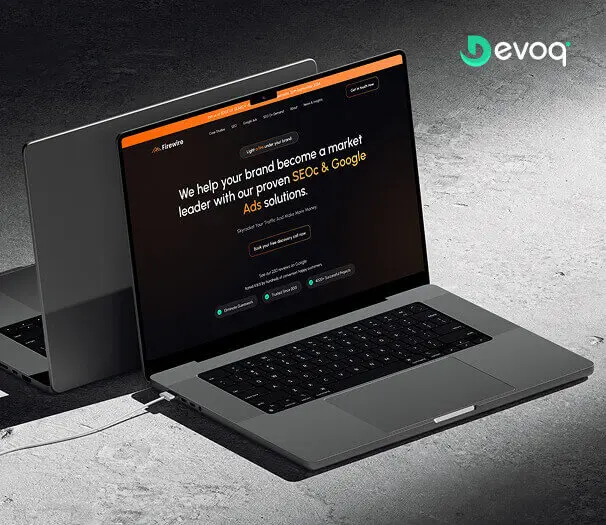
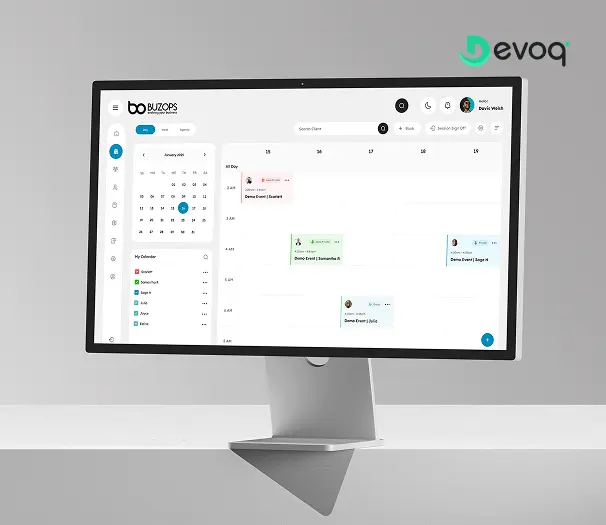
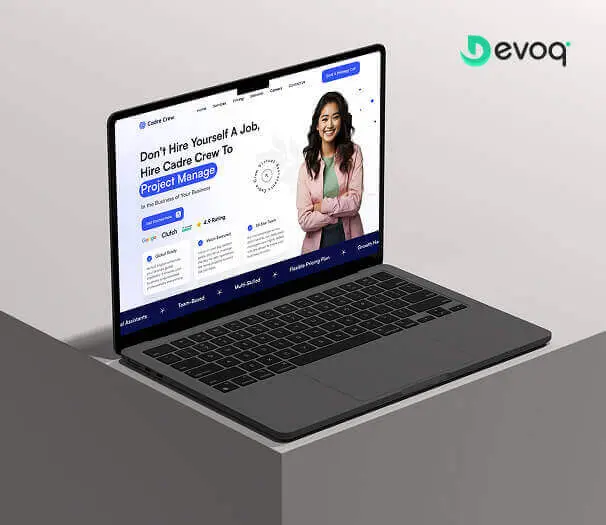
Case Study HighlightsRecent Elementor projects and measured outcomes
Explore live case studies from our portfolio.
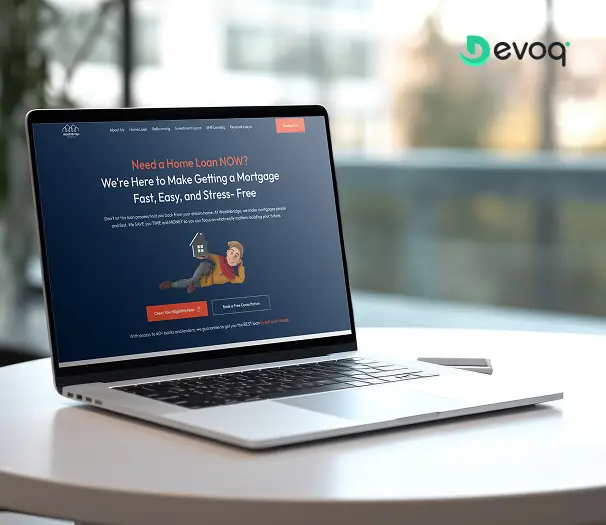
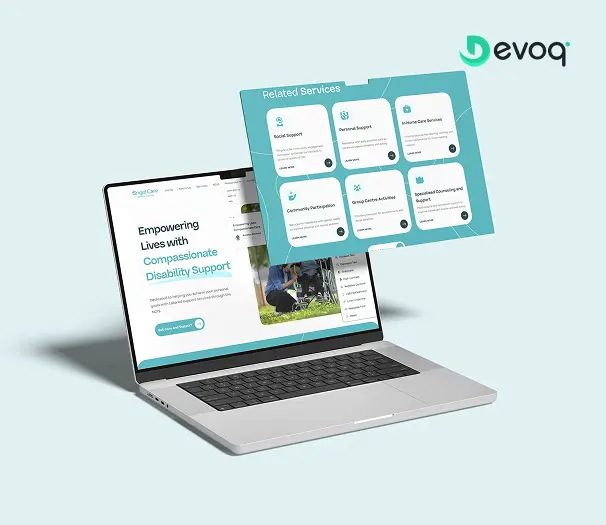
Want to see how these were built?
We will walk you through the template structure, what we removed and why, and the before-and-after performance data, on a call with the developer who built it.
Your Dedicated TeamRoles you can hire individually or as a team
Start with one developer and add specialists as scope grows. Every role works under the same engagement terms and the same delivery process.
Senior Elementor Developer
Owns template architecture, custom widgets and the performance budget for the whole site.
WordPress Backend Developer
Custom post types, ACF structures, PHP functionality and third-party API integrations.

Web Designer
Figma design and a component system that maps cleanly onto Elementor global styles.
WooCommerce Specialist
Product architecture, checkout optimization, payment gateways and shipping logic.
Performance Engineer
Core Web Vitals work, caching strategy, CDN configuration and media optimization.
QA and Accessibility Tester
Cross-browser, real-device and WCAG 2.1 AA testing before every launch.

SEO Specialist
Technical SEO, schema, redirect mapping and on-page optimization during the build.
Project Manager
Milestone planning, staging reviews and one written status update every week.
What You ReceiveDeliverables at the end of every engagement
Handover is a defined stage of the project, not a negotiation at the end of it. Everything listed here transfers to you regardless of how the engagement concludes.
Full site access in your accounts
Hosting, domain, Elementor license, plugin keys and admin credentials all registered to you, with our access removed on completion.

Child theme and custom code
All custom widgets, PHP functions and CSS delivered in a documented child theme, version-controlled and commented.
Editable Figma design files
Components, tokens, states and responsive specifications, working files, not flattened exports.
Recorded editor walkthrough
A screen recording showing your team exactly how to add pages, edit templates and what to avoid changing.
Performance and SEO baseline
Core Web Vitals report, redirect map, schema inventory and a sitemap submitted to Search Console.

Backups and maintenance plan
A verified off-site backup, documented restore procedure and a written plan for keeping the site updated safely.
Expert AdviceBest practices when hiring an Elementor developer
Five things we would tell a friend hiring their first Elementor developer, whether or not they hired us.
Open their previous sites in PageSpeed Insights
A portfolio screenshot tells you nothing. Run three of their live builds through Core Web Vitals field data. It takes four minutes and reveals more than any interview question.
Ask how many plugins they typically install
A developer who reaches for an addon pack for every widget will hand you a site that degrades with each update. Someone who says "as few as the brief needs" is thinking about your second year.
Ask whether they write custom widgets
This is the clearest line between a page assembler and a developer. If the answer is no, every unusual requirement will become another plugin on your site.
Insist that licences sit in your accounts
Hosting, domain, Elementor and premium plugin licences should be registered to your business from day one, not held by the agency and rented back to you.
Agree who edits the site after launch
If your team will maintain it, say so during discovery. It genuinely changes how the site should be structured, and it is far cheaper to design for than to retrofit.
Things To KnowCommon mistakes to avoid
The five failure patterns we see repeatedly when a site arrives with us mid-flight.
Buying a template kit and calling it a design
Demo content is built to look impressive, not to load quickly or match your brand. Stripping a kit back to something usable frequently costs more than designing properly from the start.
Styling individual widgets instead of globals
Setting colors and fonts on each element separately means a brand update becomes a page-by-page manual job across the entire site.
Building on legacy sections and columns
Sections and inner sections generate far more DOM nodes than flexbox containers. On a large site the difference is visible in Core Web Vitals, not just in theory.
Uploading full-resolution images
A 4MB hero photograph will undo every other optimization on the page. Sizing, compression and modern formats matter more than any caching plugin.
Treating a migration as a copy-paste job
Without a redirect map, moving platforms discards years of accumulated search equity. The rankings loss is usually permanent and almost always avoidable.
Support & MaintenanceWhat happens after your site launches
A WordPress site is not a finished object. Core, theme and plugin updates arrive continuously, and the difference between routine and catastrophic is entirely down to how they are applied.
Staged updates
Core, theme and plugin updates applied to staging first, visually checked, then deployed with a verified backup taken immediately beforehand.

Security and uptime monitoring
Malware scanning, login protection, vulnerability alerts on installed plugins, and uptime checks with escalation when something goes down.
Performance checks
Monthly Core Web Vitals review, because new content, new images and new plugins gradually erode a good score without anyone noticing.
Ongoing page and feature work
New landing pages, campaign templates and feature additions delivered from a shared backlog under a continuing engagement.
Client FeedbackWhat clients say after working with us


“We had lost four months to a contractor who disappeared. Their developer was reading our codebase within a week and had a stable build in TestFlight before the month ended.”
“The trial sprint decided it for us. We gave them a real ticket, they shipped it properly with tests, and the pull request comments were better than what our own team was writing.”
“Two rejections from App Review before we called them. They identified the privacy declaration issue in an afternoon and we were approved on the next submission.”
Frequently Asked QuestionsCommon questions about hiring Elementor developers
What does an Elementor developer do?
An Elementor developer builds and maintains WordPress websites using the Elementor page builder. The work covers Theme Builder templates for headers, footers, archives and single posts, reusable global styles, custom widgets written in PHP and JavaScript, dynamic content through Advanced Custom Fields, WooCommerce templates, form and popup logic, and performance optimization so the finished site passes Core Web Vitals. The practical difference between a developer and a page assembler is what happens when no existing widget fits, a developer builds one; an assembler installs another plugin.
Is Elementor bad for site speed?
Elementor is not inherently slow, but it is easy to build slowly with. Most poor scores come from nested legacy sections instead of flexbox containers, overlapping addon plugins, unoptimised images and render-blocking scripts. A properly structured Elementor site using the Hello theme, modern containers, a lean plugin stack and correct caching regularly passes Core Web Vitals.
Do I need Elementor Pro to hire a developer?
For most commercial sites, yes. Theme Builder, the Loop Builder, popups, forms and WooCommerce templates are Pro features, and without them a developer has to reintroduce third-party plugins that add weight. The license is bought under your own account so you retain ownership and renewal control.
Can you fix or take over a site someone else built in Elementor?
Yes. We begin with an audit covering template structure, plugin conflicts, global styling, page weight and Core Web Vitals, then deliver a written remediation plan. We repair and restructure wherever possible rather than defaulting to a rebuild.
Will my marketing team still be able to edit the site?
That is the point of building in Elementor. We use global colors and fonts, reusable templates and clearly labeled sections so non-technical editors can publish new pages confidently. Every handover includes a recorded walkthrough of how to edit safely.
Can you build custom Elementor widgets?
Yes. When no existing widget fits, we write custom Elementor widgets in PHP with proper controls in the editor panel, so editors configure them visually rather than editing code. This usually replaces two or three addon plugins and reduces page weight.
How long does an Elementor website take to build?
Timelines depend on scope, integrations and content readiness. Marketing sites, content-heavy builds, WooCommerce stores and performance rescues each follow a different path. Every estimate is scoped after discovery and revisited at each milestone.
Can your Elementor developers work in my time zone?
Yes. Devoq Design supports marketing teams and agencies across North America, the UK and EU, the Middle East and Asia Pacific with overlapping working hours. Ask on the discovery call for the current overlap we can commit to for your region.
Do you work white-label for agencies?
Yes, and it is a large share of our WordPress work. We build under your agency brand, join your project tools, keep our name off client-facing communication, and can attend client calls as part of your team when you want us to.
Who owns the website and the files?
You do. Hosting, domain and licences sit in your own accounts, and every engagement begins with a mutual NDA and an intellectual property assignment clause. All templates, child theme code and documentation transfer to you, and access is revoked when the engagement ends.
Should I use Elementor or a custom-coded website?
Choose Elementor when your marketing team needs to publish and edit pages without a developer, when campaign speed matters, and when the site is content-led. Choose custom code when you need complex application logic, unusual integrations or extreme performance requirements that a builder cannot reach.
Do you provide ongoing WordPress maintenance?
Yes. Ongoing support covers core, theme and plugin updates tested on staging first, security monitoring and hardening, backup verification, uptime monitoring, performance checks and incremental page or feature work.
Related ServicesExplore other ways we can help
Elementor work rarely sits alone. These are the services most frequently combined with a WordPress engagement.
Hire Webflow Developers
When you want visual building with cleaner output and managed hosting.
ExploreHire Framer Developers
Design-led marketing sites with motion built into the canvas.
Explore
Hire Unbounce Developers
High-velocity landing pages and testing for paid campaigns.
ExploreHire UI/UX Designer
Web design, design systems and conversion-focused usability work.
ExploreHire WordPress Developers
Broader WordPress engineering beyond the Elementor canvas.
Explore
Hire iOS Developers
Native Swift and SwiftUI engineers for your mobile product.
Explore
Ready to add an Elementor developer to your team?
Book a free consultation. We will review your site, recommend an engagement model and share matched developer profiles within a few business days. No obligation and no sales script.