

Hire Figma Designer to Fix Libraries, Variables & Dev Mode
Bring on a vetted Figma designer from Devoq Design who audits sprawling libraries, wires variables and modes, documents contribution rules and prepares Dev Mode so developers stop pinging design for spacing values. Embedded in your file permissions and review rhythm, so new screens assemble from shared components instead of forking final_v7 beside the real product. Ideal when you already design in Figma but the file itself blocks shipping.
 Vetted Figma systems shortlist
- Trial sprint on your live file
- 100% library ownership transfer
- NDA-backed file access from day one
Trusted by product and design teams and rated on independent review platforms





What does a dedicated Figma designer actually do?
A dedicated Figma designer makes your design file workable at scale: libraries, variables, tokens, auto-layout, Dev Mode and contribution rules. At Devoq Design that specialist embeds with your design lead or eng-led team when the bottleneck is the Figma operating system, not journey strategy or activation metrics.
The craft audits duplicate components and detached instances, rebuilds libraries with sensible naming and variants, wires variable collections for color, spacing and typography modes, enforces auto-layout, documents usage in-file and configures Dev Mode so engineers inspect specs without Slack screenshots. Dedicated specialists sit in library reviews, contribution approvals, branching hygiene and eng pairing on what Dev Mode must expose. Sample screens may validate the system; journey strategy, SaaS metrics and dashboard density each have their own hire lanes. Design leads hire this seat when every sprint starts with “which file is truth?”, not when they need a generalist interface owner or a product designer to move retention curves.
Key takeaways
Figma design at Devoq Design means libraries, variables, tokens, auto-layout, Dev Mode and file hygiene, not “any designer who opens Figma.”
Sample product screens may validate the system; journey strategy, SaaS metrics and dashboard density each have their own hire lanes.
Done looks like: new frames assemble from published components, variables drive agreed modes, eng trusts Dev Mode, contribution rules are written.
The three practical hiring routes are a dedicated Figma specialist, an extended design-ops pod, or a defined-scope library recovery with handover.
NDA, IP assignment and library ownership transfer should be settled in writing before deep file access begins.

 Business Challenges
The file pains that lead teams to hire
Most design leads do not search to hire a Figma designer because they dislike purple tools. They search when duplicate components multiply, variables never shipped, Dev Mode shows nothing useful, and engineers rebuild spacing from screenshots while final_v7 sits beside the sprint board. These six patterns show up constantly in orgs that already design in Figma, and each has a systems response that does not require freezing product shipping for a quarter.

Duplicate components and detached instances
Three “Primary Button” components with different padding. Designers detach to “move faster,” then nobody knows which instance maps to code. Every new screen forks the library silently.
How we resolve it
Audit published versus local components, consolidate variants with clear naming, retire orphans, and document when detaching is allowed, so the library stays the default path, not the exception.
No variables, tokens or modes
Color and spacing live as hard-coded fills on every frame. Re-theming means find-and-replace archaeology; dark mode is a parallel file nobody maintains.
How we resolve it
Build variable collections mapped to your agreed token names, wire modes your products actually need, and migrate priority components first, so theme changes propagate without redrawing every screen.
Auto-layout broken or ignored
Frames resize into chaos; responsive behavior is manual nudging. Engineers receive specs that fall apart the moment copy changes length.
How we resolve it
Rebuild core layout components with disciplined auto-layout, constraints and min/max rules, then train contributors through in-file examples and review gates.
Dev Mode useless for engineering
Inspect panel shows detached groups, missing code connect hints, and spacing nobody trusts. Devs ping design for values the file should expose.
How we resolve it
Structure components for Dev Mode inspection, align naming with eng vocabulary, document handoff conventions both sides sign off on, and validate against a real build slice.
final_v7 folders and unnamed layers
Approved work hides beside experiments. New hires cannot tell live from decorative. Branch merges reintroduce layers someone “fixed locally.”
How we resolve it
Establish page and branch hygiene, archive rules, layer naming standards, and a single published library source, so truth is obvious without tribal knowledge.
No contribution rules: library breaks every quarter
Everyone publishes components. Marketing forks a brand variant into the product file. The next specialist starts from zero again.
How we resolve it
Write contribution rules, ownership roles, review cadence and migration steps for legacy frames, so the system survives personnel change, not only the current hero designer.
Why a Figma Systems HireWhy teams hire for the file before another screen polish pass
Polished frames in a broken library do not compound: they expire when the next contributor detaches a button. A Figma designer is hired to make the operating system maintainable so UI/UX, SaaS product and dashboard work accelerates. Specialists elsewhere still matter; this lane is for when the file itself is the brief.
Infrastructure over one-off mocks
Libraries, variables and Dev Mode conventions outlive any single feature frame. Stakeholders can explain why a component exists and which mode it respects, not only why a hero screen looks good in a review.
Respect for how your team already ships
Existing products, eng naming and release cadence are inputs. Recovery evolves the file in slices; it does not pretend the org can pause every squad for a greenfield design-ops program.
Evidence from the file, not opinion
Audits start from duplicate counts, detached instances, unpublished changes and Dev Mode gaps, so design-ops spend follows measurable friction, not the loudest “our file is messy” anecdote alone.
Handoff engineers can inspect without Slack
Dev Mode readiness means spacing, typography and component structure developers trust, so “check Figma” replaces screenshot threads for routine values.
Clear boundary from product and journey lanes
When activation metrics or feature UX own the brief, send work to a SaaS product designer. When journey ownership is missing entirely, start with UI/UX. Honest routing beats forcing systems work into the wrong seat.
Continuity through contribution rules
Documented ownership and review gates carry forward after the engagement. Freelancer library dumps expire; a maintained operating system lets the next designer extend instead of restart.
 Why Devoq Design
Why design and product teams hire Figma designers from us
Devoq Design is a design-led studio: 357+ projects, 196+ clients, 34+ people, 6+ years shipping product interfaces, rated 5.0 on Clutch. Figma specialists sit with design leads and engineering on live file recovery, including engagements where libraries support named studies such as Firewire and Buzops. Offices in Ahmedabad, Ajax (Ontario) and Sacramento (California) keep collaboration practical across regions.
Designers who speak library architecture fluently
Shortlists favor people who can walk your team through variable modes, variant structure and Dev Mode gaps in a working session, not only present a pretty component page from a fictional startup file.
Trial sprint on your actual Figma estate
Evaluate craft against a genuine library slice or migration path from your org before you commit. You judge decisions inside your permissions model, not against a generic starter kit.
Same studio serves the consumers of your library
When UI/UX, SaaS product or dashboard designers need screens after the system is stable, capacity can extend under one rhythm, so handoff conventions stay aligned with how those lanes already work.
Capacity that flexes with recovery scope
Start with one Figma specialist for audit and foundation; surge for multi-product token migration; add front-end partners when code connect or implementation validation is in scope.
Overlap with your design and eng day
Meaningful timezone overlap and written updates your stakeholders can audit: library reviews when your design lead and eng representatives can attend, not only when a distant vendor prefers.
Contracts that protect file IP
Mutual NDA before deep file access, IP assignment, and clear ownership of libraries and documentation from the first working session, with transfer expectations written up front.
Library chaos blocking every design sprint?
Send a short brief: file scale, products sharing the library, and who owns design ops today. We will return matched Figma designer profiles and a recommendation on dedicated versus scoped recovery.
 Services Included
What hiring a Figma designer covers
Whether you engage one Figma specialist or a small design-ops pod, the menu below is available from day one. Scope still matters: a single-product token pass and a multi-brand library rebuild are different calendars: but you will not discover mid-sprint that variable migration was “extra.”

Figma file and library audit
Inventory of duplicate components, detached instances, unpublished changes, orphaned pages and branching debt: prioritized before anyone publishes a “new” button variant.

Component library rebuild and consolidation
Published components with sensible variants, naming and structure so UI/UX and product designers assemble screens without forking.
Variables, modes and token mapping
Variable collections for color, spacing, typography and semantic roles: wired to modes your products share, not hard-coded fills on every frame.

Auto-layout and responsive component discipline
Core layout primitives rebuilt with constraints engineers can trust when copy length or viewport changes: reducing detach-and-nudge habits.

Dev Mode readiness and inspect conventions
Component structure, naming and documentation so developers inspect specs in Figma instead of requesting Slack screenshots for routine spacing.
In-file documentation and usage examples
Template pages and annotated patterns that show contributors how to extend the library correctly: contribution rules visible where people actually work.

Branching, permissions and file hygiene
Archive rules, page structure, layer naming standards and merge practices that stop final_v7 folders from multiplying after every release.

Legacy frame migration planning
Phased path to move live screens onto published components without freezing every squad: prioritized by what ships next, not alphabetical page order.
Contribution rules and library ownership
Written roles, review gates and publish workflow so the next hire cannot undo the library in a week of well-intentioned shortcuts.
Need journey ownership, SaaS activation work or admin-table density instead? UI/UX generalists, SaaS product designers and dashboard specialists each have their own hire lane: ask before you stretch file recovery into the wrong brief. UI/UX journey ownership, SaaS product & activation UX, Admin / dashboard density and Mobile platform craft developers.
Library ConsumersWho a Figma operating system serves inside your org
This lane maps to the teams that consume a shared file, not marketing campaigns as the hero deliverable, not App Store platform craft, and not SaaS activation metrics as the success definition. Buyers should self-select if library infrastructure is the bottleneck for these consumers.
UI/UX designers shipping product screens
Generalists who need a coherent component set to own flows and handoff, without spending half their sprint fixing detached buttons. Journey work stays on the UI/UX lane; the library makes that work faster.
SaaS product designers on feature slices
Teams redesigning onboarding or in-product flows who depend on variables and patterns that respect plan-aware UI: consuming the library, not rebuilding tokens per feature.
Dashboard designers on dense admin patterns
Specialists building tables, filters and chart shells who need scalable components and spacing tokens: plugging into the same published system instead of a parallel admin file.
Front-end and design-engineering partners
Implementers who inspect Dev Mode, validate token names against code, and need structure that survives copy changes: reducing ping-pong for values the file should expose.
Marketing and brand-adjacent contributors
Teams who must extend product UI without forking a separate “brand” library that diverges every quarter: governed by contribution rules and shared modes.
Design leads owning file permissions
Leads who need branching hygiene, publish approval and an audit trail, so “which file is truth?” stops being the first question of every sprint planning session.
Figma StackTools and practices Figma designers work in day to day
We keep library work inside Figma’s native systems (components, variables, modes, branching and Dev Mode) rather than importing novelty workflows that fragment the file your team already lives in.
Figma is the primary environment: libraries, variable collections, auto-layout, prototyping for system validation, and Dev Mode for engineering inspect. Token documentation may live in-file or align with your existing design-token pipeline when one exists: we do not invent credential stacks your org does not run. FigJam supports audit workshops and migration planning. Validation happens against real contributor workflows and a build slice your eng team agrees to.
Permissions, branching policy and review rituals follow yours where they exist. Consistency inside your operating rhythm matters more than importing a studio-only toolchain your design lead will not enforce. If governance is undefined, we propose a light default (contribution rules, publish cadence, naming) and document it for the next owner.
- Component libraries
- Variants & properties
- Published vs local audit
- Instance swap rules
- Variable collections
- Light / dark modes
- Semantic color roles
- Spacing & typography tokens
- Auto-layout discipline
- Constraints & min/max
- Layer naming standards
- Branch & archive rules
- Dev Mode inspect
- In-file documentation
- Slack / Teams
- Jira / Linear
- Contribution review gates
How We WorkOur Figma systems process
Short cycles with audit findings, library milestones and demos contributors can test. Predictability lets product squads keep shipping while the file improves in agreed slices, not a big-bang freeze.
- 01
File audit and prioritisation
Duplicate components, variable gaps, Dev Mode friction and branching debt documented. We agree which products and patterns migrate first before publishing changes wide.
- 02
Foundation: tokens and core components
Variable collections and rebuilt primitives (buttons, inputs, layout shells) published with naming and modes your consumers already recognize.
- 03
Migration slices and template pages
Live frames moved onto published components in priority order; in-file examples show correct usage for UI/UX, SaaS and dashboard contributors.
- 04
Dev Mode validation with engineering
Inspect conventions tested against a real build slice; handoff gaps closed while the sprint is still open.
- 05
Governance and handover
Contribution rules, ownership roles and review cadence written down, plus a defined window for post-handover clarification as teams adopt the system.
Hiring ProcessHow to hire a Figma designer, step by step
Most teams move from first conversation to a specialist contributing in the file after a short discovery and trial cycle. Here is what happens at each stage.
- 01
Discovery
Understand the file pain
We discuss library scale, products sharing the estate, permissions model, and whether Figma systems work (not UI/UX journey ownership or SaaS metrics) is the right lane.
- 02
Shortlisting
Review matched designers
Receive a curated shortlist selected for library architecture judgment, Dev Mode fluency and collaboration with design leads and engineers.
- 03
Evaluation
Interview and trial sprint
Interview candidates, then validate on a real audit slice or component recovery from your file, not only a polished public library walkthrough.
- 04
Onboarding
Embed with design and eng
Finalize agreements, share Figma permissions, align library review cadence, and kick off with a written definition of the recovery scope.
- 05
Delivery & Growth
Publish, migrate and govern
Deliver library milestones, run contributor training, expand when ready, and adjust capacity when multi-brand or multi-product migration thickens.
Project TimelineHow Figma systems work typically sequences
Durations depend on file debt, product count and how fast stakeholders approve publish changes. We scope after discovery and revise at each review boundary rather than defending a sales-call guess.
Focused library audit
Inventory, prioritized findings and a recovery roadmap, so leadership knows what breaks shipping before anyone renames a component.
Token and primitive foundation
Variables, modes and core components published for one product or brand: validated by contributors and Dev Mode inspect.
Multi-product migration program
Phased frame migration, template pages and contribution rules: suited to orgs consolidating years of forked libraries.
Ongoing embedded Figma ops
A dedicated specialist in your publish rhythm, absorbing library requests as squads ship and keeping hygiene from regressing.
We would rather revise a timeline early than promise a library ship date that ignores approval lag, parallel product work or unknown legacy frame volume.
Engagement ModelsFlexible ways to hire Figma designers
Three structures, one standard of library ownership. If you are unsure which fits, describe the file estate and pain on a discovery call.
Focused
Dedicated Figma Designer
A single specialist working exclusively on your libraries, variables and Dev Mode readiness, embedded in your permissions and review cadence.
- Full-time allocation to one client
- Direct access through your Slack and issue tracker
- Trial sprint before commitment
- Replacement cover within the first 30 days
Best for
Design leads who need one embedded Figma owner beside existing product designers.
Discuss this modelMost requested
Extended design-ops pod
A multi-role unit combining Figma systems work with optional UI/UX, SaaS product or front-end partners under one point of accountability.
- Figma ops plus optional screen delivery partners
- Dedicated delivery contact and written reporting
- Composition reviewed against migration roadmap
- Scales up for token programs, down for steady governance
Best for
Teams recovering libraries while product squads still need screens shipped.
Discuss this modelDefined
Defined-scope library recovery
Milestone-based delivery against a documented scope: audit, token foundation, component publish or Dev Mode pass with handover.
- Written scope, artefacts and acceptance criteria
- Milestone-based delivery and sign-off
- Published library and documentation included
- Post-delivery support window for clarification
Best for
Organizations with a fixed file deliverable and a firm internal approval process.
Discuss this model
Compare Your OptionsDedicated Figma designer vs freelancer vs in-house hire
How the three common hiring routes compare across the factors that decide whether your library stays maintainable after the first publish.
Unsure if this is Figma ops, UI/UX, or SaaS product design?
Bring the awkward version: a broken library, a live product with activation pain, or dense admin screens nobody can scan. You will talk to a design lead who will say plainly which Devoq hire lane fits before you force systems work into a journey brief.
Quality, Security & TransparencyHow we protect delivery, files and confidentiality
Outsourced Figma work fails on governance far more often than on component aesthetics. These four commitments are written into every engagement.

Quality standards
Library reviews check naming consistency, variant structure, variable coverage, auto-layout integrity and Dev Mode inspect clarity, not only how polished a component thumbnail looks.
Migration validation catches detached instances and unpublished drift while the slice is still open, so “close enough” does not become the library everyone secretly forks.

Security, NDA and IP protection
Mutual NDAs are signed before detailed file access begins. Specialists work with restricted Figma permissions limited to named individuals on the engagement.
Intellectual property in libraries, documentation and migration artefacts is assigned to you contractually. File ownership and transfer expectations are written down up front.

Communication and reporting
A shared channel your design and eng leads can access, written updates on working days, mid-cycle library reviews and a demo every cycle covering publish progress, open decisions and blockers.
Your issue tracker (Jira, Linear or Asana) is the single source of truth for what design-ops owns next.

Risk mitigation
Publish decisions and migration order are recorded in writing so context survives personnel changes. Critical library knowledge stays visible in-file, not trapped in one specialist’s head.
Scope changes are estimated and approved before work expands, and timelines are revised at review boundaries when file debt diverges from the plan.
Industries We ServeProduct orgs whose Figma estates we recover
Domain familiarity shortens ramp-up. These are sectors where our specialists already understand multi-product libraries, role-aware UI tokens and the shipping pressure that causes file debt.

B2B and horizontal SaaS
Multi-team products sharing components where plan-aware UI and feature velocity make library hygiene existential, not optional.

Fintech and regulated products
Libraries that must stay auditable while squads ship: naming, modes and documentation that survive compliance scrutiny.

Healthcare and wellness platforms
Shared tokens across patient and operator surfaces where clarity and consistency reduce costly forked files.

Ops and vertical SaaS
Industry tools (including studio experience adjacent to Buzops-style operations products) where dashboard and workflow UI share one system.

Multi-brand product portfolios
Organizations running several products on one Figma org: modes, permissions and contribution rules that prevent brand silos from breaking the library.
Eng-led teams with design debt
Companies where founders and engineers produced UI faster than the file could absorb: recovery without pretending a journey strategist is the first need.
Global DeliveryHire Figma designers who overlap your working day
We support design and product teams across regions from studios in Ahmedabad, Ajax (Ontario) and Sacramento (California). You get overlapping hours, communication in your business language, and contracts written to protect your IP.
North America
United States and Canada
Sacramento and Ajax presence with overlap for US and Canadian teams, library reviews that fit your morning or afternoon, and contracting suited to North American buyers.
Europe
United Kingdom and EU
Meaningful working-day overlap for UK and EU teams, GDPR-aware handling of file access, and written updates your stakeholders can audit.
Middle East
Middle East
Coordination for GCC product teams with predictable updates, clear ownership of libraries, and specialists comfortable working across distributed stakeholder groups.
Asia Pacific
Asia Pacific
Ahmedabad delivery center with morning overlap for many APAC teams, plus continuity practices so publish decisions remain documented across time zones.
Every engagement operates under clear commercial terms, so adding Figma capacity later does not mean restarting trust, NDA or file-ownership negotiations from scratch.
Case Study HighlightsDiscover Our Case Studies
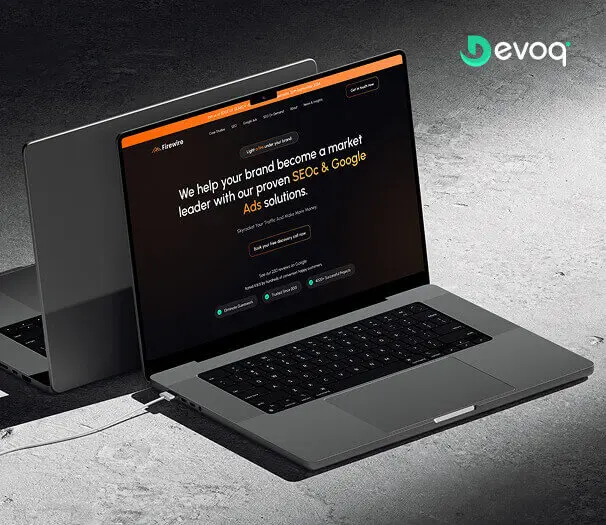
Real product work from the Devoq Design portfolio, including named studies such as Firewire, Buzops, Cadre Crew, Wealth Bridge and Angel Care.
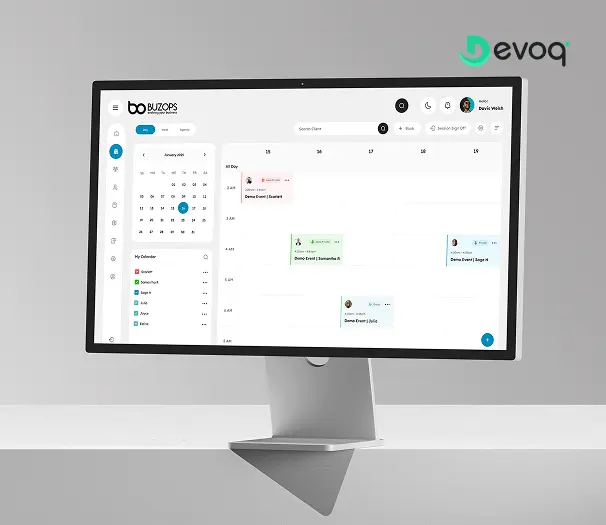
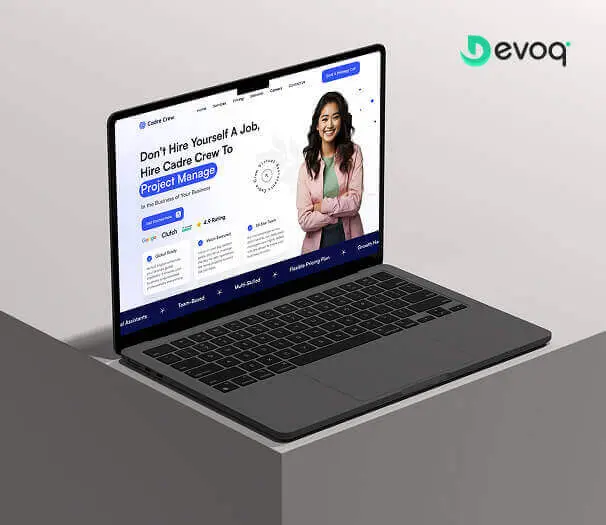
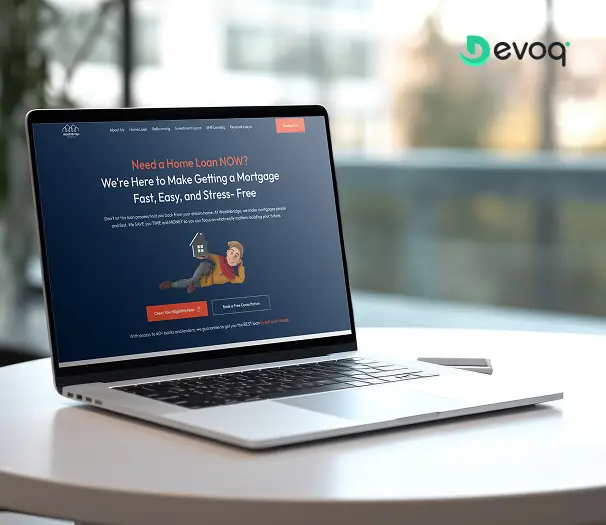
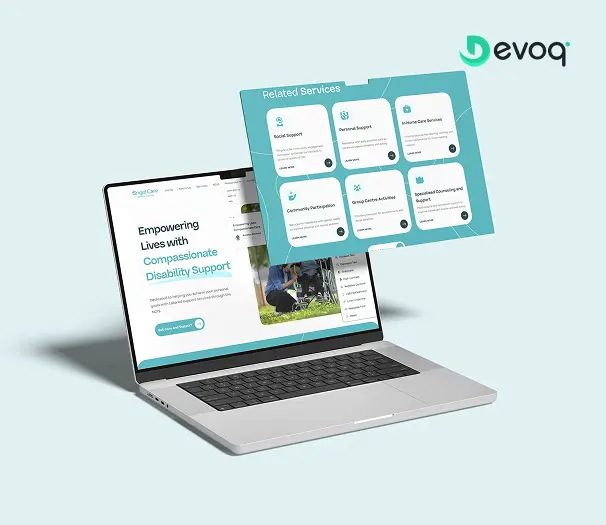
Want the story behind a case study file?
We will walk you through how libraries supported product delivery, what changed in the Figma estate and how Dev Mode handoff worked with engineering, under NDA, with people close to the work.
Your Dedicated TeamRoles you can hire around a Figma designer
Start with one Figma specialist and add partners as scope grows. Every role below can work under the same engagement terms when consumers need screens after the library is stable.
Figma Designer
Owns libraries, variables, Dev Mode readiness, migration and contribution rules for the file estate in scope.

UI/UX Designer
Consumes the library to own research-through-handoff journeys once components and tokens are trustworthy.

SaaS Product Designer
Ships activation and feature UX inside live SaaS products using published patterns, not parallel token experiments per sprint.

Dashboard Designer
Builds dense admin, analytics and ops patterns that plug into shared table and filter components.

Front-end Developer
Validates token names and Dev Mode output against code when design and build stay inside one studio rhythm.
HTML/CSS Designer
Hand-coded implementation sibling when marketing or product surfaces move from inspect specs into production CSS.

Product / delivery manager
Migration backlog grooming, publish cadence and one written status your stakeholders can rely on.
QA partner
Checks builds against published components and token values before release candidates go wide.
What You ReceiveDeliverables at the end of every engagement
Handover is a defined stage of the work, not a negotiation at the end of it. Everything listed here transfers to you regardless of how the engagement concludes.
Published Figma libraries you own
Editable source libraries and variable collections: transferred to your organization, not locked behind a vendor account.
Audit report and migration roadmap
Findings that explain duplicate debt, prioritized recovery order and what ships first, so future owners inherit context, not only components.
Variable and token documentation
In-file and written mapping of modes, semantic roles and usage rules ready for contributors and engineering to extend.

Template and example pages
Reference frames showing correct component usage, so UI/UX, SaaS and dashboard designers adopt the system without guessing.
Dev Mode and handoff conventions
Inspect rules, naming alignment and validation notes so developers are not reverse-engineering spacing from screenshots.

Governance and handover walkthrough
Contribution rules, ownership roles and a recorded or live walkthrough, plus a defined window for post-handover clarification.
Expert AdviceBest practices when you hire a Figma designer
Five things we would tell a design lead hiring for library recovery, whether or not they hired us.
Trial on your file, not a Dribbble kit
Give candidates a genuine audit slice from your org. Evaluate how they prioritize duplicates, variables and Dev Mode gaps, not only how polished a public starter library looks in isolation.
Separate file ops from journey ownership
If activation or feature UX owns the brief, brief a SaaS product designer. If nobody owns the interface layer, start with UI/UX. Do not starve library recovery by asking one person to rebuild tokens and redesign onboarding in the same week.
Settle permissions and ownership before kickoff
Agree who can publish, where libraries live, and how access transfers if the engagement ends, before anyone renames a component. Fixing ownership mid-migration is how teams lose their only source of truth.
Invite engineers into Dev Mode validation early
Inspect conventions belong in week one. The specialist who welcomes eng feedback on token names will out-ship the one who optimises only for component thumbnails.
Weight governance as heavily as craft
In a multi-contributor org, the designer who writes contribution rules and flags publish risk early will beat a stronger stylist whose library regresses the moment they leave.
Things To KnowCommon mistakes to avoid
Five failure patterns we see when Figma work arrives mid-flight, or after a sprint where “hire figma designer” felt urgent for the wrong reasons.
Hiring UI/UX when the file is the product
If duplicate components and broken variables block every squad, do not brief a generalist journey owner first. Use the UI/UX lane when screens need an interface owner; use this lane when the operating system is the bottleneck.
Expecting a library rebuild to fix retention
Tokens will not move activation curves by themselves. Recover the file so product designers can ship; route metrics-led journey work to the SaaS product lane when that is the pain.
Publishing components without contribution rules
A beautiful library without review gates regresses in one marketing sprint. Budget governance as part of delivery, not as an optional appendix.
Big-bang migration that freezes shipping
Phased slices tied to what ships next beat alphabetical page cleanup that pauses every squad. The file should accelerate product work, not replace it.
Measuring success by component count
Variant explosion is not maturity. Judge progress by publish hygiene, Dev Mode trust, detached-instance reduction and whether contributors assemble new screens without forking.
Support & MaintenanceWhat happens after the first library publish
Publishing components is when real contributor behavior starts stress-testing the system. Ongoing Figma support is structured around keeping hygiene from regressing.

Publish review on continuing work
As squads ship, we check new components and instances against contribution rules so silent forks do not become a second unofficial library.
Token and mode upkeep
When products add themes or semantic roles, we extend variable collections and migrate affected components: retiring one-offs that would otherwise drift from code.
Migration backlog driven by shipping
Legacy frames prioritized by what eng builds next, not archive theater that never touches live product surfaces.
Flexible embedded Figma ops
Keep a specialist part-time for steady governance, or surge for a multi-brand token program, without restarting vendor onboarding from zero.
Client FeedbackWhat clients say after working with us


“The client was pleased with Devoq Design’s thorough understanding of each design stage. They seamlessly integrated into the internal team, providing helpful critiques and insights. They regularly communicated via phone, email, and Slack. Devoq Design’s collaborative approach stood out.”
“Devoq Design has completed the design phase, and the client is very satisfied with the new layout. The service provider is responsive and incorporates the client's feedback. The client has been impressed with Devoq Design's ability to create both strategic and beautiful designs.”
“The project is still ongoing, but Devoq Design has already delivered functional components of the client's product. The team establishes a collaborative workflow through clear and constant communication, they always provide updates on the project's progress. They're also skilled at what they do.”
Frequently Asked QuestionsCommon questions about hiring Figma designers
What does a dedicated Figma designer at Devoq Design do?
A dedicated Figma designer makes your design file workable at scale: component libraries, variable collections, token and style mapping, auto-layout discipline, Dev Mode readiness, branching hygiene and contribution rules. At Devoq Design that specialist embeds with your design lead or eng-led team (library reviews, publish workflow, migration slices) so UI/UX, SaaS product and dashboard contributors assemble screens from shared components instead of fighting duplicate buttons and unnamed layers every sprint.
How is this different from hiring a UI/UX designer?
UI/UX owns the full interface layer when journey ownership is the problem. The Figma designer lane assumes you already produce UI in Figma but the file infrastructure blocks everyone: libraries, variables, Dev Mode and hygiene. UI/UX designers consume a healthy library; this hire builds and governs it.
Will you redesign our product journeys and activation flows?
Not as the primary brief. Sample screens may validate the system, but journey strategy, SaaS activation and feature adoption belong on the SaaS product designer or UI/UX lanes. Hire here when the operating system is the bottleneck, not when retention curves are the problem statement.
Can you set up variables, modes and design tokens?
Yes. Variable collections for color, spacing, typography and semantic roles (with modes your products share) are core deliverables. We map tokens to how your team already names values in code where that alignment exists, and document usage in-file so contributors and engineers extend the system consistently.
Do you fix Dev Mode so engineering stops pinging design?
Yes. Dev Mode readiness is in scope: component structure, naming aligned with eng vocabulary, and inspect conventions both sides validate against a real build slice. Done means developers trust inspect output for routine spacing and typography, not that every code-connect integration is rebuilt on day one unless agreed in scope.
How do you recover a messy library without freezing shipping?
Audit first, then migrate in shipping slices. We publish foundation primitives and migrate frames tied to what squads ship next, not a big-bang rename that pauses every product. Contribution rules and phased migration let UI/UX and product designers keep delivering while the file improves.
How quickly can a Figma designer join?
Join speed depends on seniority and your interview availability, not a fixed day-count on this page. After discovery we shortlist matched specialists, run your interviews and validate with a trial sprint on a real file slice before you commit: ask for current capacity on the discovery call.
Who owns the Figma libraries and intellectual property?
You do. At Devoq Design, published components, variables, documentation and migration artefacts are assigned to you contractually, with working Figma access transferred to your organization rather than locked in a vendor-only account. Ownership and transfer expectations are written at kickoff, not negotiated in an exit week.
What happens if the specialist is not the right fit?
Dedicated engagements include a trial sprint before commitment and replacement cover within the first 30 days, with managed knowledge transfer so you do not restart from an empty library and a lost publish history.
Do you work with multi-brand or multi-product Figma orgs?
Yes. Modes, permissions, shared versus product-specific libraries and contribution rules for multiple brands are common scope. We prioritize what breaks the most squads first rather than insisting every product migrates in week one.
How long does a typical Figma systems engagement take?
It depends on file debt, product count and decision speed. A focused audit, a token foundation, a multi-product migration program and ongoing embedded Figma ops each sequence differently. We scope after discovery and revise at review boundaries rather than inventing week-count guarantees.
Do you provide support after the first library publish?
Yes. Ongoing work can include publish review on continuing releases, token and mode upkeep, migration backlog grooming and flexible embedded capacity when your org keeps shipping new patterns after the foundation lands.
Related ServicesExplore other ways we can help
Figma specialists sit beside journey, product, dashboard and build hires. These adjacent paths are the ones teams combine most often: each with a distinct center.
Hire UI/UX Designer
When you need one owner for research through handoff, not library recovery as the primary brief.
ExploreHire SaaS Product Designer
When a live SaaS needs activation and feature UX inside the product, not org-wide variables architecture.
ExploreHire Dashboard Designer
When dense admin tables, filters and RBAC views need patterns that plug into your library.
Explore
Hire Mobile App Designer
When iOS/Android platform conventions and store surfaces dominate, not shared web libraries.
ExploreHire HTML/CSS Designer
Hand-coded front-end sibling when inspect specs move into production markup, not Figma ops.
ExploreUI/UX Design Services
Studio-wide product design delivery when you want an engagement framed as a service, not a hire seat.
Explore
Ready to hire a Figma designer for your team?
Book a free consultation. We will scope the file recovery, recommend an engagement model and share matched designer profiles. No obligation and no pressure script.