Skip to content

Case study

Landlust

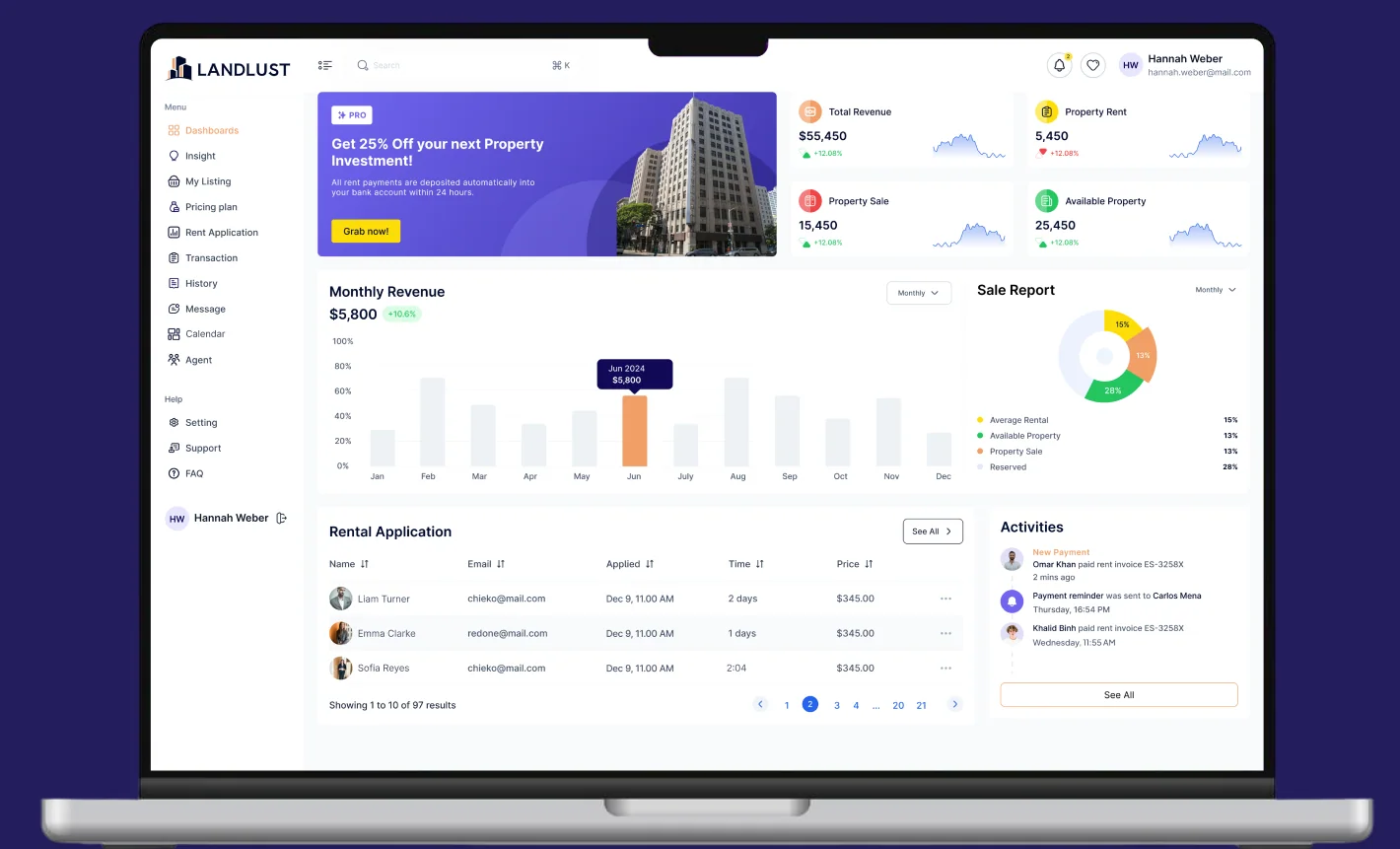
The LANDLUST dashboard open on a laptop: four KPI cards, the monthly revenue chart and the rental application queue

Overview

38Screens

LANDLUST is a dashboard for people who let property: listings, applications, tenancies, rent, agents and the money that moves between them, in one place.

This case study covers a full UI/UX pass over a file that had no design system at all: no variables, no text styles, no paint styles, no effect styles. An audit, thirty copy defects fixed, a token layer and type ramp built from the values already on the canvas, the analytics screen the sidebar had been pointing at since day one, and a prototype.

Client

A property-letting dashboard, built under NDA.

The client's name and internal figures are confidential. Everything shown here is the design work itself: a UX audit of the source file, the design system built on top of its existing library, and the dashboard design that followed.

Client
Confidential property-management client, name under NDA
Industry
Property letting & rental management
Market
Withheld under NDA
Scope
UI/UX audit and redesign, web desktop dashboard
Deliverables
38 screens, a themeable token layer, 29 text styles and a clickable prototype
Timeline
2026 · four-week plan (W1 to W4)
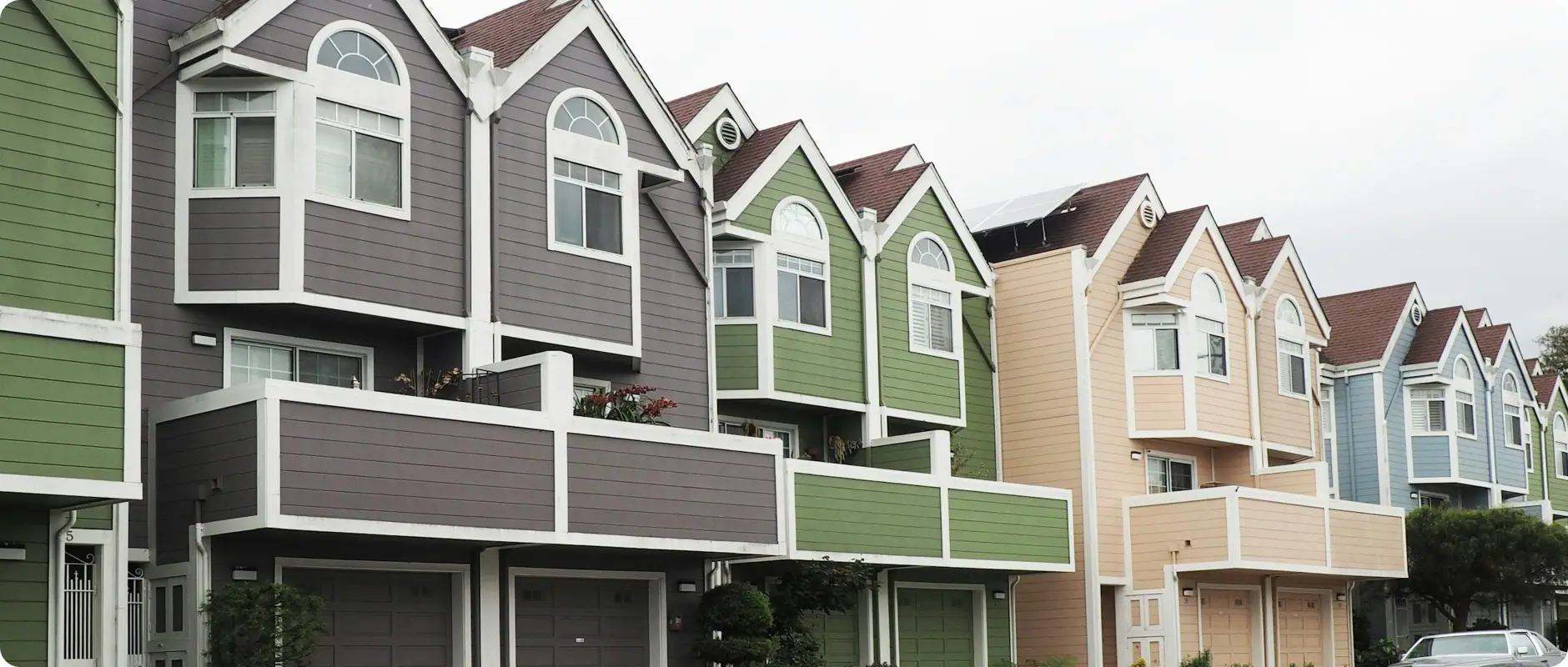
A terrace of let houses in green, grey and cream, the kind of portfolio a LANDLUST manager runs

Process

Every color and size needed a name before Insight could be drawn.

This file had dozens of hand-typed colors, 26 font sizes and six typefaces, and not one style or variable to name any of them. Building the analytics screen first would have added another set of hard-coded values, so the system came first.

  1. Audit 37 screens, count everything
  2. Fix names and 30 copy defects
  3. Clean up scaling artifacts
  4. Build the token layer + 29 text styles
  5. Draw Insight, wire the navigation

Problem

Four gaps kept this dashboard from reaching developers.

  • No design system existed. At all.

    Zero variables, zero text styles, zero paint styles, zero effect styles, against 89 fill colors, 53 stroke colors, 26 font sizes and 33 corner radii. Every value on every screen was typed by hand.

  • The sidebar had an item with no screen, and two screens with no item.

    “Insight” sat in the menu of all thirty-seven screens and led nowhere. “App Pages” was a leftover section header from the starter component library, still there as a nav item. Meanwhile Calendar and Integrations existed as screens the navigation never mentioned.

  • Sizes and radii had drifted off the grid.

    Frames had been scaled rather than resized, so font sizes and corner radii came out as long decimals instead of clean values a developer could build from.

  • Thirty copy defects, including one in a page title.

    “Recent Transition list”: the word is transaction, and it was in the heading users read. “Ye-ar Built”. “Contract Us”. “@2024 Landlust . All Right Reserved.” Thirty-six nodes reading “Est arcu pharetra pellentesque”.

User persona

A letting manager works the queues; an owner wants four numbers.

The manager works the queues: applications waiting, rent overdue, tenancies expiring. The owner wants four numbers and no table at all. That split is why the dashboard leads with KPI cards and a revenue chart, and why Insight had to exist as its own screen rather than more widgets bolted onto Home.

Hannah Weber

Goals

  • Clear today's queue: applications, overdue rent, expiring tenancies.
  • Move from a listing to its applicant to their message without losing place.
  • Scan by color (success, pending, canceled) before reading a single row.

Frustrations

  • Wastes time scrolling sparse tables to find one overdue tenancy.
  • Had no analytics screen, so portfolio questions meant exporting to a spreadsheet.
  • Reads the same numbers formatted three different ways across the product.
Marcus Feld

Goals

  • Four numbers and a trend line: is the portfolio healthy or not.
  • Know occupancy, arrears and renewal rate without opening a table.
  • See how this quarter compares to the last one.

Frustrations

  • Does not want the manager's queues; they are noise at this altitude.
  • Cannot tell a seasonal dip from a real problem without a benchmark.
  • Clicked “Insight” expecting exactly this screen and found nothing there.

Goals

Four rules shaped every LANDLUST screen.

  1. Name every value before adding another

    Eighty-nine fills and twenty-six font sizes are not a palette and a ramp, they are a symptom. Nothing new ships until each one resolves through a token or a style.

  2. The navigation has to be a contract

    Every item leads somewhere; everything that exists is reachable. Both halves failed here, in opposite directions, on the same sidebar.

  3. One format per kind of number

    One thousands separator, one decimal mark, one date format, one ellipsis. A dashboard is mostly numbers, and inconsistent numbers read as unreliable ones.

  4. A second theme has to be possible

    The file was light-only with no way to become anything else. Binding to two-mode tokens makes dark a switch rather than a second file.

Research

Thirty-seven frames, tallied value by value.

Before a single tenancy screen changed, we opened each of the thirty-seven original frames and logged every color, size and radius a letting manager would see. Thirty-three different corner radii on one dashboard is a fix list, not an impression.

  • 0styles or variables in the file
  • 89distinct fill colors
  • 33distinct corner radii
  • 26distinct font sizes
  • 6typefaces on 37 screens
  • 30copy and data defects

Primary flow

A listing becomes an application, an application becomes rent.

Everything in LANDLUST is a step on the way from an empty property to money arriving on the first of the month. The flow below is the product's actual spine, and the two screens where it used to break (an analytics dead end and an orphaned calendar) are marked.

Access first session

  1. Sign inemail and password
  2. Sign upnew practice account
  3. Verify OTPcode by email
  4. Dashboardfour KPIs and revenue

List supply side

  1. My Listing46 properties
  2. Add propertytype, beds, baths, rent
  3. Property detailsgallery, agent, rooms
  4. Empty statebefore the first listing

Apply demand side

  1. Rent Applicationapplicants queue
  2. Rental detailstenant, dates, price
  3. Wishlistwhat renters saved
  4. Messageagent and applicant

Transact money moves

  1. Transactionsuccess, pending, cancel
  2. Order historyper property
  3. Pricing planfree, gold, premium
  4. Invoicesubtotal, tax, total

Understand the missing half

  1. Insightoccupancy, arrears, yield
  2. Portfolio mixlet, vacant, under offer
  3. Top propertiesby revenue
  4. Alertswhat changed this week

Operate keeping it running

  1. Calendartenancy and task dates
  2. Agenttop agents, details
  3. Support & FAQtickets and answers
  4. Settingsaccount, language, security
  • Entry point
  • Existing screen
  • Was unreachable
  • New screen

Grid system

A 264px rail, a 1656px working area, and a 12-column grid inside it.

LANDLUST is a desktop tool and only a desktop tool: all 38 screens (37 original plus the new Insight screen) are 1920 wide. The rail is fixed at 264px and owns its width; the remaining 1656 carries a 12-column grid with 24px gutters that every card, table and modal snaps to.

Components

A token layer on top of the existing library.

The screens are built from an existing component library. We built a token layer on top of it so it can be themed and maintained: the layer this file was missing entirely.

Color · 22 semantic tokens, 2 modes

  • bg/canvas
  • bg/surface
  • bg/muted
  • border/default
  • text/primary
  • text/secondary
  • brand/primary
  • status/success
  • status/error
  • status/warning
  • status/info
  • accent/purple

Type · 29 styles

  • Display/60
  • H1 42
  • H2 36
  • H3 32
  • H4 24
  • H5 20
  • Body/20
  • Body/18
  • Body/16
  • Body/14
  • Body/12
  • Caption/9

Spacing · 11 · Radius · 9 · Size · 11

  • 4
  • 8
  • 12
  • 16
  • 20
  • 24
  • 32
  • 40
  • 48
  • 64
  • r-8
  • r-999

Feature 01

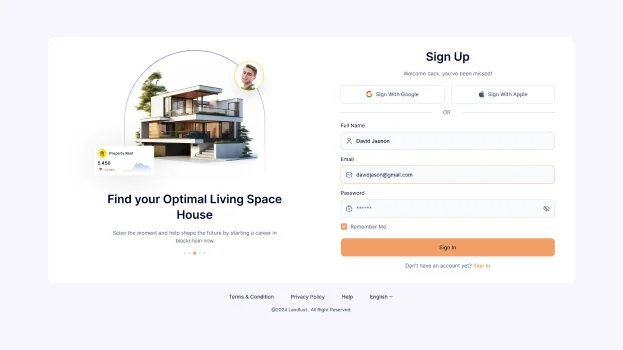
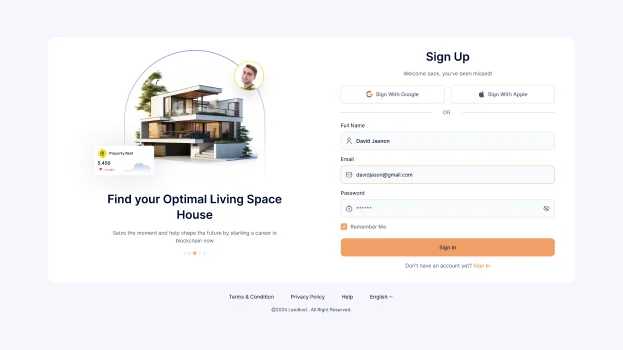
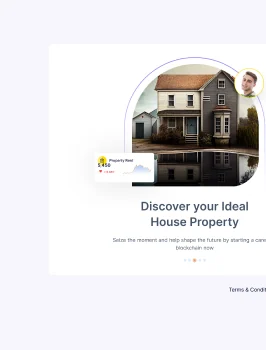
Five auth screens, and the one on Sign In told you the wrong thing.

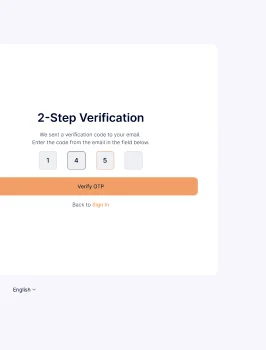
Sign in, sign up, forgot password, OTP, new password. Each is its own screen rather than a modal, so a landlord or agent who reloads mid-verification lands back on the right step. The footer link on Sign In read “Don’t have an account yet? Sign In”, pointing at the page you were already on. It now reads “Don’t have an account yet? Sign Up”, and Forget became Forgot.

The LANDLUST 2-Step Verification screen, cropped at the edge of the stripThe LANDLUST Sign In screen with email, password and the corrected Sign Up footer linkThe LANDLUST Sign Up screen with Google and Apple sign-in and the full name, email and password fieldsThe LANDLUST forgot password screen, cropped at the edge of the strip

Feature 02

The dashboard answers the owner first and the manager second.

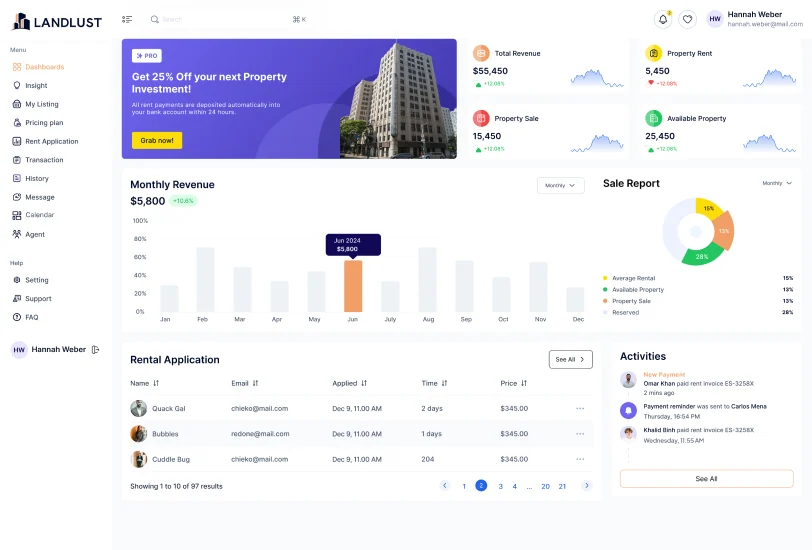
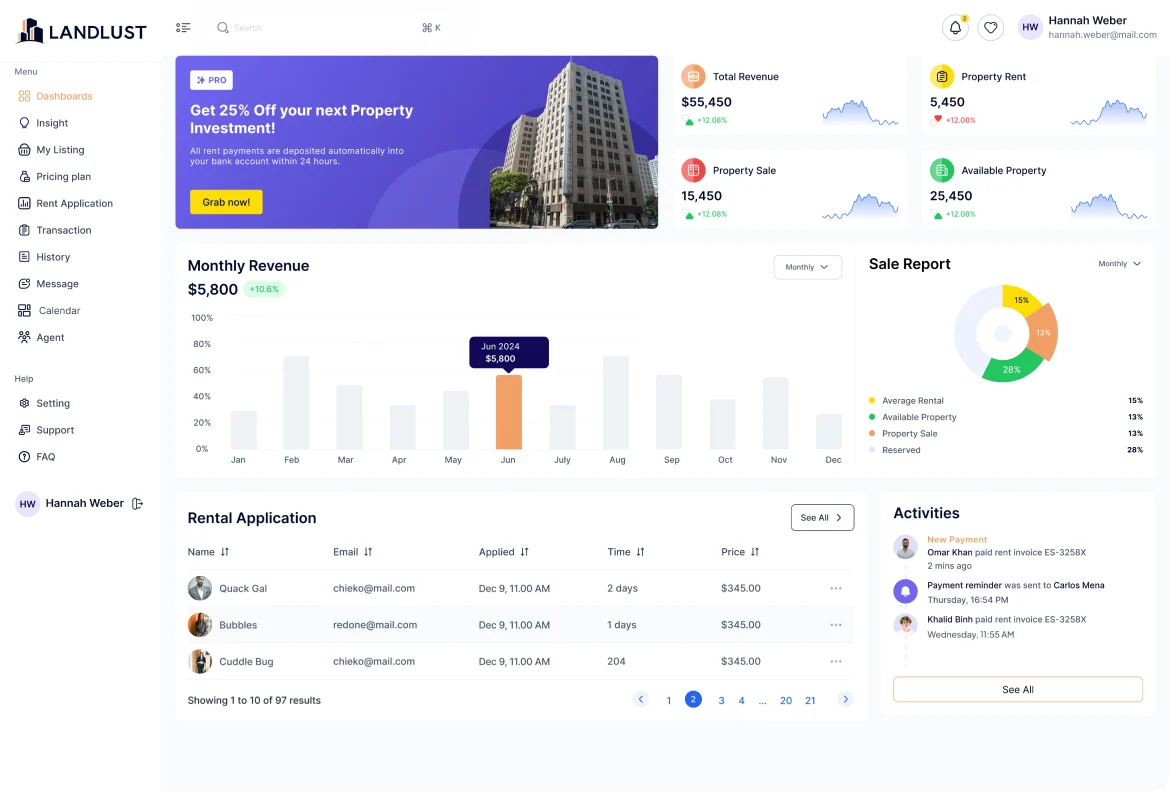
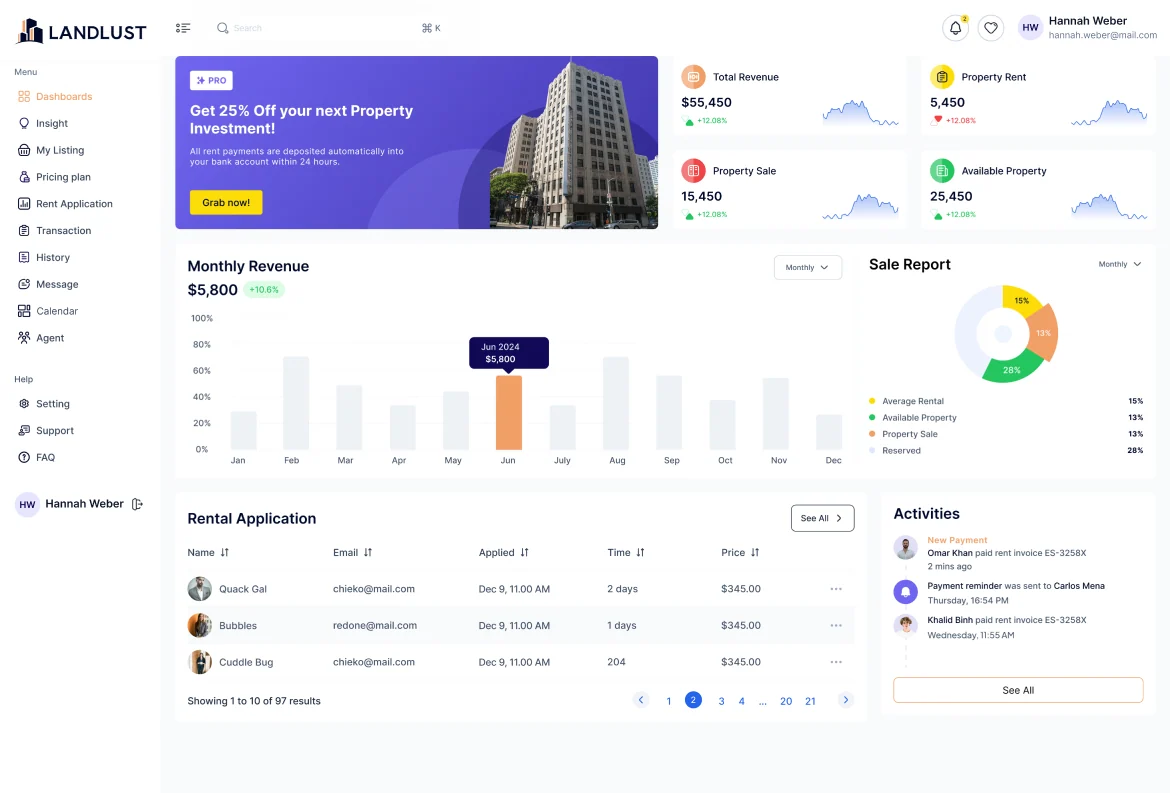
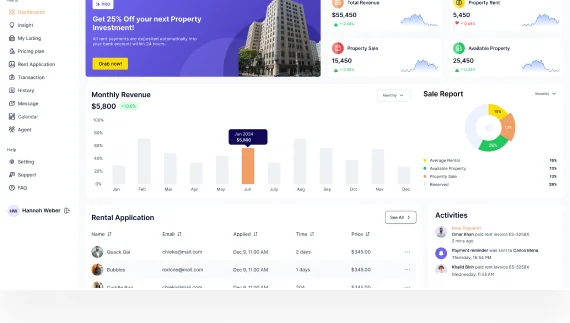
Four KPI cards and a revenue chart sit above the fold for someone with ten seconds. The rental application queue and the activity feed sit underneath for someone with all day. Notifications, wishlist and profile are overlay states on the same screen rather than separate destinations, so the numbers never leave the screen.

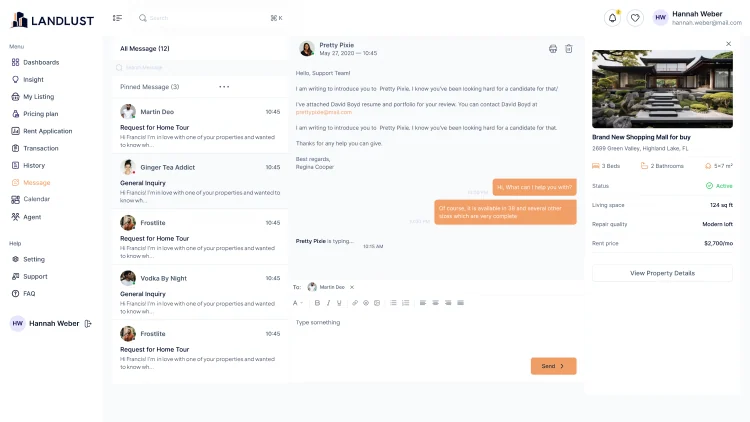
The LANDLUST Top Agent List table behind the dashboardThe LANDLUST message thread and property card in front of the dashboardThe LANDLUST dashboard: total revenue, property rent, property sale and available property KPIs, the monthly revenue chart, sale report, rental applications and activities

Click map

Where letting managers are designed to click.

A design-intent click map of the dashboard: heat sits only on interactive targets (buttons, tabs, links, menus), weighted by how central each action is to a letting manager's day. It maps layout decisions, not recorded sessions.

The LANDLUST dashboard with heat spots over its interactive targets, strongest on the See All button of the rental application queue
  1. Notifications and profile open in place

    Notifications, wishlist and profile are overlay states on the dashboard, so a manager can check them in one click without ever leaving the numbers.

  2. “See All” is the door to the queue

    The rental application queue is where the manager’s day happens, and its “See All” is the main route from the summary into the full table.

  3. Filters and search sit in the warm band

    The Monthly period selectors and global search change what the dashboard shows rather than taking the user away, so they draw steady, mid-weight clicks.

  4. The rail is cool but constant

    Dashboards, My Listing, Rent Application, Transaction and Message are wayfinding: frequent but low-stakes, so they stay one click away on every screen.

  5. Row menus and pagination stay quiet

    Most rows are read, not acted on, so only the first row’s “…” menu and the current page marker carry heat. Charts, KPI figures and the activity text carry none.

Design-intent map, not recorded data.

Feature 03

“Insight” had been in the sidebar of every screen and led nowhere.

It is the one nav item an owner would click first, and for thirty-seven screens it did nothing. The screen now exists, built from the dashboard's own KPI cards, chart and table components: occupancy, average days to let, renewal rate and arrears across the top, revenue against forecast, portfolio mix, top-performing properties and an alert feed of what actually changed.

The LANDLUST dashboard components the Insight screen is built from: KPI cards, the revenue chart, the sale report and the queue table

Feature 04

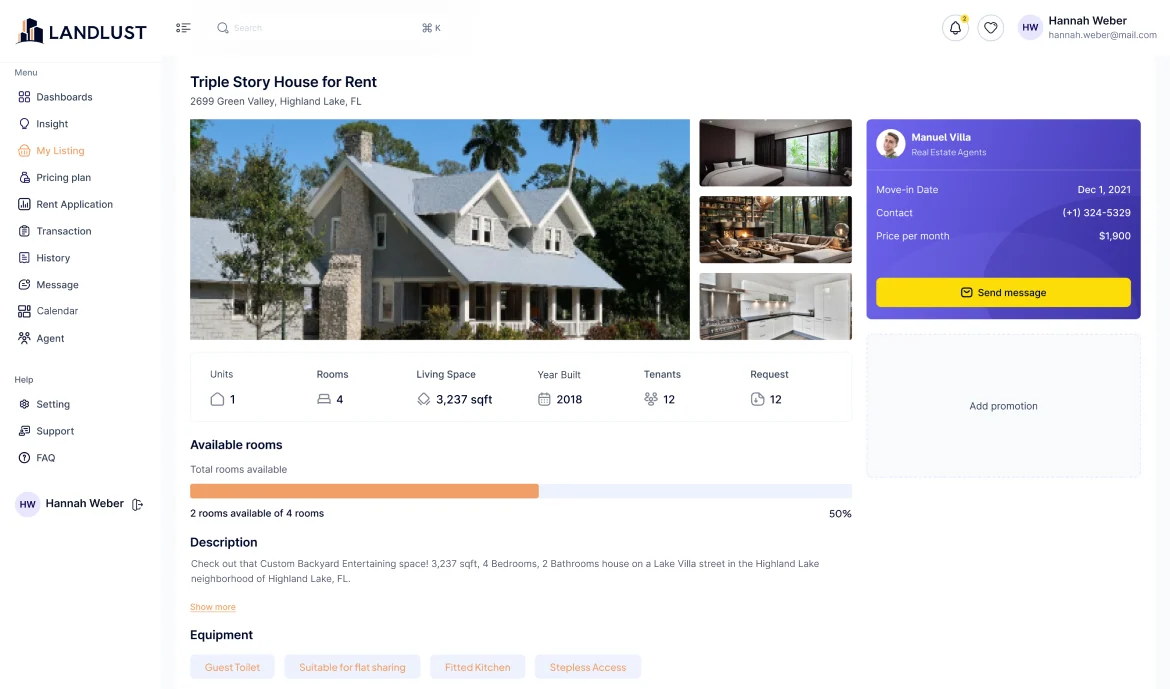
A property is a record with a gallery, an agent and a room count.

The listing detail leads with photography because that is what lets a property, then the numbers a manager needs (rooms, living space, year built, tenants, requests), then the agent card with a direct message button. Available rooms shows as a filled bar rather than a fraction, because two of four reads faster as a bar than as text.

The LANDLUST property details screen: photo gallery, 3,237 sqft, year built, units, the description and the agent card

Feature 05

Listings, applications and transactions are one continuous queue.

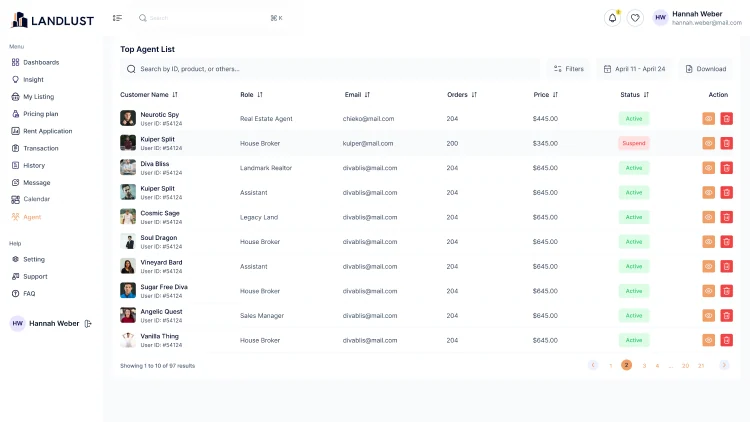
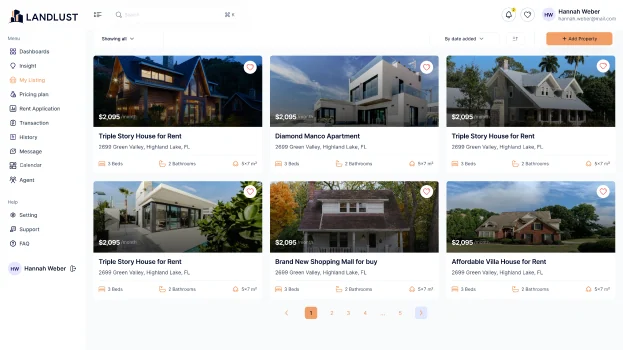
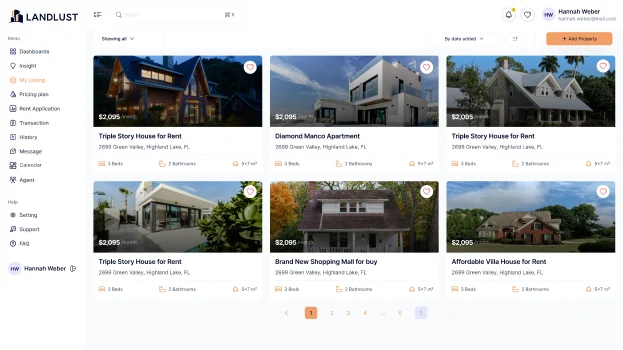
A property is listed, someone applies, a tenancy starts, rent arrives, and the transaction list records it. Each of those screens uses the same table component with the same status chips (success, pending, canceled) so a manager learns one pattern and reads all four. The heading on the transactions screen said “Recent Transition list” until this pass.

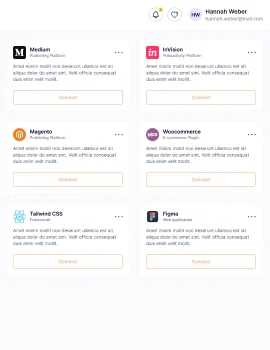
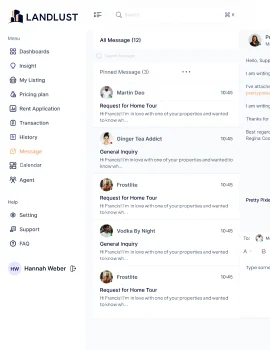
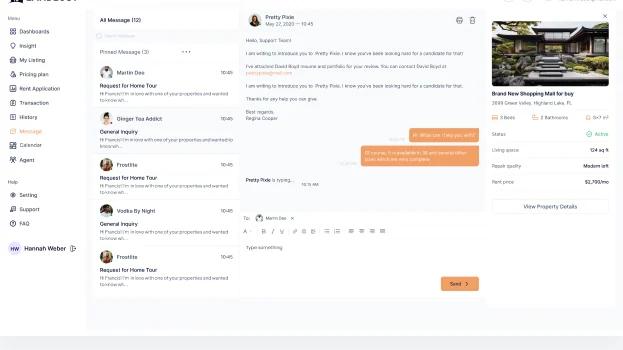
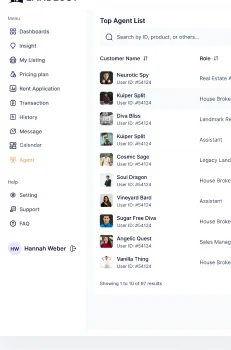
The LANDLUST integrations cards, cropped at the edge of the stripThe LANDLUST My Listing grid of properties with rent, bedrooms and bathrooms per cardThe LANDLUST Top Agent List table with role, email, orders, price and status chipsThe LANDLUST message list, cropped at the edge of the strip

Feature 06

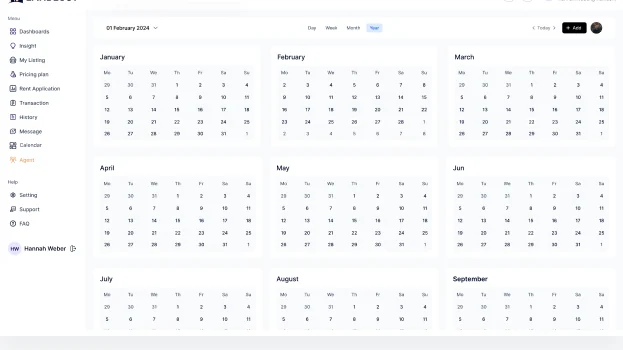
Two screens existed that the navigation never mentioned.

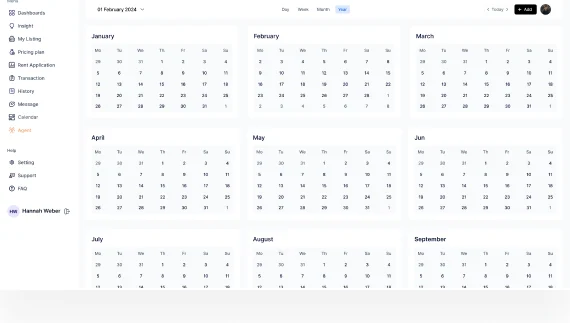
Calendar and Integrations had been designed and then stranded: no sidebar entry pointed at either. Meanwhile the rail carried “App Pages”, a section header left over from the starter component library, sitting there as a menu item with nothing behind it. That slot is now Calendar, and Integrations is reachable from Settings.

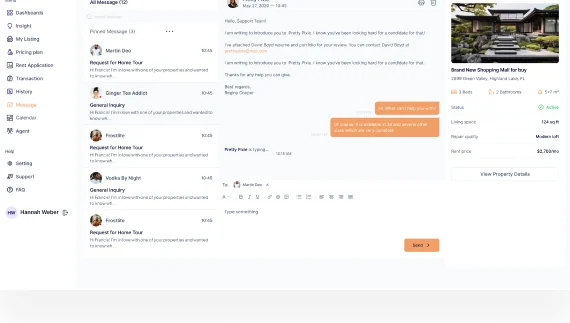
The LANDLUST message screen with the conversation list and an open threadThe LANDLUST support screen with tickets and the FAQThe LANDLUST settings screen with general, account and linked accounts tabsThe LANDLUST dashboard, the screen the restored Calendar item sits beside in the rail

Feature 07

Settings, support and the back office of a letting business.

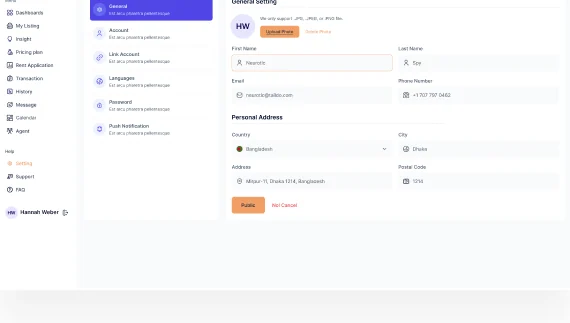
General, account, linked accounts, languages and password; support tickets and the FAQ. These are the screens a landlord opens when something goes wrong with a tenancy, so they have to sound like a letting agency. Before this pass the footer said “@2024 Landlust . All Right Reserved.” and the FAQ asked “What is the Criminal Mind Analysis Results?” on a property platform.

The LANDLUST settings screen, cropped at the edge of the stripThe LANDLUST support screen with open tickets and the FAQ listThe LANDLUST message screen with the agent and applicant threadThe LANDLUST account settings form, cropped at the edge of the strip
A terrace of let houses in green, grey and cream, the kind of portfolio a LANDLUST manager runs

Responsive

One width, chosen on purpose for a desk-bound tool.

All 38 screens are 1920 and nothing else. For a tool a letting manager uses at a desk all day that is defensible, but the owner persona checks the portfolio weekly and would do it on a phone. Below is what the layout has to become, not what it is: the rail becomes a drawer, the KPI row wraps to two, and the tables become cards.

  • 1920Built
  • 1440Not yet
  • 1280Not yet
  • 834Not yet
  • 402Not yet

Visual language

Deep navy, soft purple, Inter throughout.

Eighty-nine fills became twenty-two semantic tokens built on a deep navy (#100A55) and a soft purple (#867DF2), with a warm orange accent and status colors reserved so they never appear as decoration. Twenty-six font sizes became a twenty-nine-style ramp in Inter: the sizes the screens were already using, named at last.

  • #F19F66
  • #100A55
  • #867DF2
  • #334155
  • #16A34A
  • #EDF2F7

Inter, one family

Regular · Medium · SemiBold · Bold | 29 text styles, 6 typefaces reduced to 1

Before / After

Where the source dashboard broke, and how it reads now.

Three places carried most of the damage. Each is shown as it was in the source file, and as it works now.

Navigation

Before
  • Insightnowhere
  • App Pagesno screen
  • Calendar
  • Integrations

“Insight” sat on all thirty-seven screens and led nowhere, a leftover section header posed as a menu item, and two finished screens had no entry at all.

After
  • InsightInsight screen
  • Calendar in the rail
  • SettingsIntegrations

Every item leads somewhere and everything that exists is reachable. The App Pages slot is now Calendar.

Design values

Before
  • 89 fills
  • 53 strokes
  • 26 font sizes
  • 33 radii
  • 0 styles

Every value on every screen was typed by hand, and scaled frames had left font sizes and radii on uneven decimals.

After
  • 22 semantic tokens
  • 29 text styles
  • 9 radii
  • Dark mode ready

Every color resolves through a named token with a dark mode behind it, and every size through a style.

Copy

Before
  • Recent Transition list
  • Ye-ar Built
  • Contract Us
  • Don’t have an account yet? Sign In

Thirty copy defects, one of them in a page title, plus a Sign In footer link that pointed at the page you were already on.

After
  • Recent Transaction list
  • Year Built
  • Contact Us
  • Don’t have an account yet? Sign Up

All thirty defects fixed, including the heading users read first; the Sign In footer now links to Sign Up, and “Forget” became “Forgot”.

Results & Impact

The navigation now matches the screens, and every value has a name.

A file with no design system now has one: every color resolves through a named token with a dark mode behind it, every size through a style, and the navigation finally agrees with the screens that exist.

  • 89 → 22fill colors resolved to semantic tokens
  • 33 → 9corner radii on one scale
  • 4 → 0nav dead ends and orphan screens
  • 30 → 0copy defects, one in a page title

Design-level outcomes measured against the source files. Live product data will follow launch.

Learnings

What this dashboard taught us about navigation and copy.

  1. A navigation audit runs in both directions

    Every audit we run checks that each nav item has a screen. This file taught us to check the reverse as well: Calendar and Integrations had been designed, paid for in effort, and stranded because nothing pointed at them. Orphaned screens are invisible in a way dead links are not.

  2. A token layer makes an existing library maintainable

    The screens are built on an existing component library, so we built a token layer on top of it. Colors and sizes can now be themed and maintained from one place instead of screen by screen.

  3. A typo in a heading outlives a hundred in body copy

    “Recent Transition list” sat in a page title through every review this file had. Headings get read as shapes once they are familiar, which is exactly why a copy pass has to start with the largest type on the screen rather than the smallest.

  4. Desktop-only is a decision, so make it one

    Nothing in the file said whether 1920-only was a considered scope or an unfinished one. The Responsive section now states it plainly and shows what the other four widths have to become, because an undocumented gap reads as an oversight.

Let's work together

Letting property is hard enough; the dashboard shouldn't be.

Team up with us

The LANDLUST dashboard on a laptop

Thanks for reading.

Have a product like this? Let's talk. Book a call

Devoq Design · [email protected]

Or see more case studies, including WorkHub, an HR platform designed on the same template.

Skip to content
Wait! Is Your Website Losing Customers?

Get a free UI/UX audit and discover what’s holding your site back